
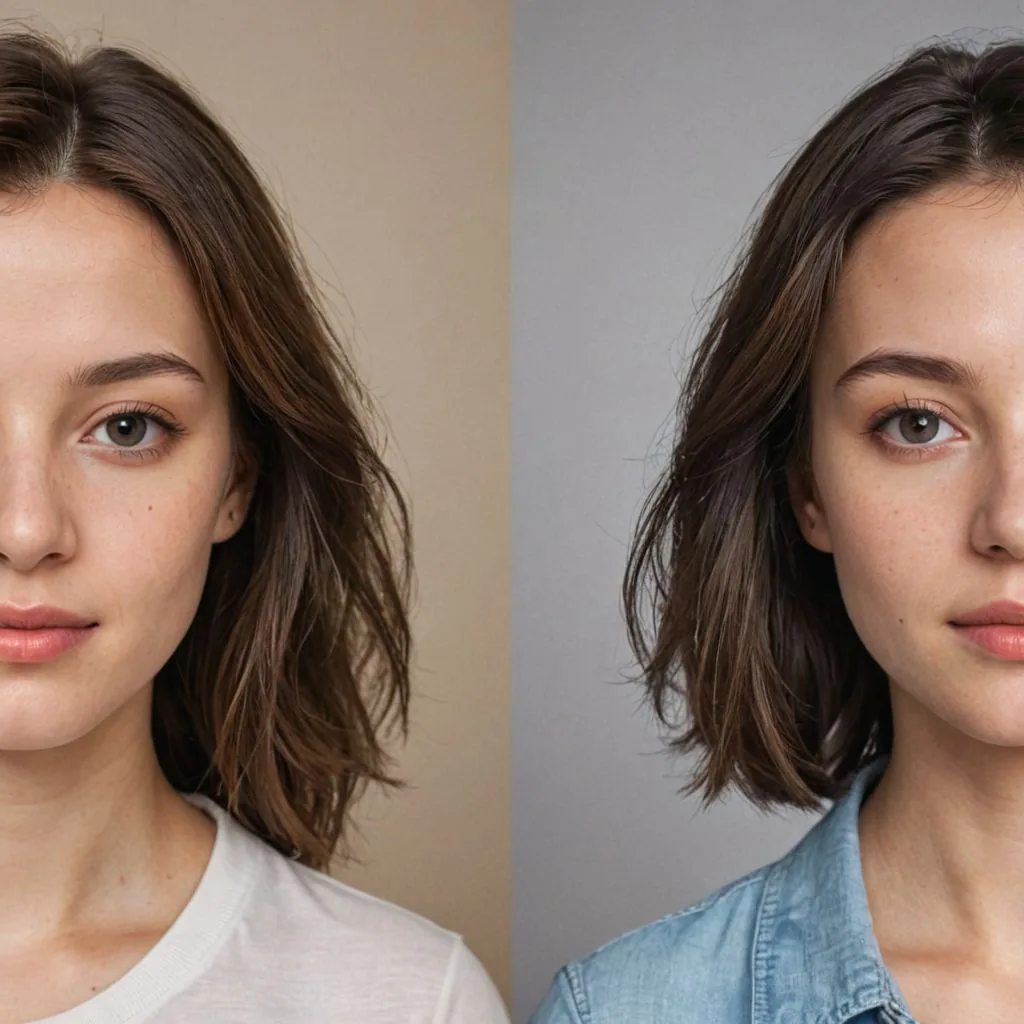
The rise of AI-generated images has blurred the lines between reality and digital creation. From hyper-realistic portraits to stunning landscapes, artificial intelligence now has the capability to create lifelike images that can fool even the sharpest eyes. But as AI-generated visuals become more commonplace, it’s useful to understand how to identify them, especially if you're concerned about transparency or if you're in fields where original photography is essential.
Today we’ll explore the signs that indicate an image may be AI-generated, why this is relevant, and how you can stay informed on spotting the subtle (and sometimes obvious) hints of digital creation.
Why It Matters: The Importance of Identifying AI Photos
The ability to distinguish between real and AI-generated images is increasingly valuable for businesses, media professionals, and consumers alike. Here are a few reasons why:
- Authenticity in Marketing: Brands want to ensure that their images genuinely reflect their products. Overuse of AI images can create misleading expectations for customers.
- Copyright Concerns: AI-generated images bring up questions about ownership and copyright. Knowing if an image was AI-generated can affect licensing, especially if it's used for commercial purposes.
- Trust in News and Media: With AI-generated photos capable of fabricating events, distinguishing real images from fakes helps maintain integrity in journalism.
- Ethical and Privacy Considerations: AI images featuring human likenesses can raise privacy issues if they resemble real people or involve subjects without consent.
For these reasons and more, identifying AI-generated images has become a skill.
Common Uses of AI-Generated Photos
Before diving into the ways to detect AI-generated photos, it helps to understand where and why these images are often used:
- Product Marketing: Many companies use AI to create product photos, especially for eCommerce, as it saves time and reduces the need for costly photoshoots.
- Social Media Influencers: Some influencers are using AI-generated photos to build content portfolios, presenting AI-created versions of themselves or idealised lifestyles.
- Stock Photography: AI-generated stock photos are increasingly used by companies for marketing, advertisements, and blog posts as they’re more customisable and tailored to specific needs.
- Entertainment and Art: AI is being used to create original artworks and even movie scenes, blending real-life images with imagined scenarios.
As AI-driven content becomes more accessible, it’s more important than ever to spot AI-made content, especially if you want to ensure maximum transparency from brands.
How AI Generates Photos: A Brief Overview
AI-generated photos are primarily created through a technology called Generative Adversarial Networks (GANs). GANs consist of two neural networks working together: the generator, which creates the image, and the discriminator, which assesses whether the image looks real or fake. This back-and-forth process improves the generator’s ability to create realistic images, refining them until they’re hard to distinguish from actual photos.
Key Indicators of an AI-Generated Photo
Despite the impressive realism AI can achieve, there are often subtle (and not-so-subtle) clues in the image that indicate it was machine-made. Here are some of the most reliable signs:
1) Inconsistent Lighting and Shadows
AI sometimes struggles with consistent lighting, especially when shadows and highlights need to be precisely aligned with a light source. Look for:
- Unnatural Shadow Placement: Shadows that fall in different directions or appear too light or too dark for the environment can indicate an AI-generated photo.
- Lighting Errors on Faces or Objects: An unevenly lit face or object, with no clear source of lighting, is often a giveaway.
2) Oddly Shaped Facial Features
AI can now produce hyper-realistic human faces, but these images often contain small inconsistencies or unnatural distortions, particularly in the face. Common issues include:
- Eyes and Eyelashes: In some cases, the eyes might appear too reflective, slightly misaligned, or have asymmetrical eyelash patterns.
- Teeth and Smile Lines: AI often struggles with creating realistic teeth and gums. Check for unnatural gaps between teeth, or teeth that look overly uniform and straight.
- Ears and Jewellery: Ears are particularly hard for AI to replicate, especially if a person has jewellery or piercings. Watch for earrings or other accessories that appear fused with the ear or aren’t symmetrical.
3) Hair and Background Blending Issues
Hair is notoriously difficult for AI to handle well. Even in high-quality AI photos, hair might blend awkwardly into the background or lack the natural texture that real hair has.
- Soft Edges or Blurring: If the hair appears too smooth or blends into the background, this is often a sign of an AI-generated image.
- Unnatural Patterns in Backgrounds: AI-generated backgrounds may have repeating patterns, especially in complex scenes. For example, plants in the background might look identical, or elements may repeat in an unrealistic way.
4) Unusual Detail Distortions in Backgrounds
AI is known for creating high-detail foregrounds but sometimes misses fine details in the background, leading to issues such as:
- Distorted Textures or Patterns: Walls, carpets, or bricks may look smeared, melted, or otherwise distorted. AI often struggles with consistent textures in the background.
- Ambiguous Objects or Blurry Regions: AI sometimes creates blurry or ambiguous background items that don’t fully resemble recognisable objects.
5) Hands and Fingers
Even with significant advancements, generating realistic hands and fingers remains a challenge for AI. Common errors include:
- Unnatural Finger Count or Positioning: Check for extra or fewer fingers, odd spacing, or unnatural bending.
- Blended Fingers or Objects in Hand: Hands holding items may appear strange, with the fingers merging into the object or creating a blurred effect.
6) Signs of Image “Smudging” or Blurring
AI-generated images, especially those made quickly or with less advanced models, may have smudging or blurring in certain areas. This smudging is often apparent in:
- Edge Areas: Borders between objects in the foreground and background can look blurry or smudged.
- Detailed Areas: Smaller details, like zippers, buttons, or jewellery, might look like they’re blending into the surrounding area rather than being clearly defined.
Tools and Techniques for Detecting AI Images
There are several methods and tools you can use to help determine if a photo was generated by AI:
1) Reverse Image Search
Conduct a reverse image search on Google or other platforms. If the image appears on a known AI generation site or appears with slight variations, it may have been created by an AI tool.
2) Specialised AI Detection Tools
Some AI detection tools are specifically designed to identify AI-created images, including:
- Sensity.AI: Originally focused on deepfake detection, Sensity has expanded to detect AI-generated images and videos.
- Deepware Scanner: This tool can scan images for signs of AI tampering, detecting deepfakes and generated visuals.
3) Use Metadata and Exif Data
When possible, inspect the metadata or EXIF data of an image. AI-generated images sometimes lack the metadata typically associated with a camera, such as make, model, or specific camera settings.
4) Close-Up Analysis of Specific Details
Take a closer look at specific features, such as hands, facial details, and backgrounds. Zooming in can reveal blurring, misalignments, or inconsistencies that are less noticeable at a normal viewing distance.
What the Future Holds for AI Photo Detection
As AI continues to evolve, so will the methods for creating, detecting, and authenticating AI-generated images. Some future developments to watch for include:
- Improved Detection Algorithms: Researchers are working on creating more advanced tools capable of analysing pixel-level patterns that reveal if an image was generated by AI.
- Embedded Watermarking: Some developers are considering embedding invisible watermarks in AI-generated images to differentiate them from real photos, making identification easier.
- Ethical Guidelines and Regulations: As AI images proliferate, governments and industry bodies may introduce regulations to standardise the use and disclosure of AI-generated visuals in advertising, media, and social content.
FAQs about Identifying AI-Generated Photos
Q: Are AI-generated images always free to use?
A: No, AI-generated images can be subject to copyright restrictions depending on the platform and tools used to create them.
Q: Can AI-generated images be used commercially?
A: It depends on the licensing and permissions of the tool used to create the image. Some AI tools allow commercial use, while others restrict it.
Q: Are there ethical concerns with using AI-generated images?
A: Yes, AI images can blur the lines of authenticity, privacy, and copyright. Using these images responsibly and disclosing when they are AI-generated is essential.
Q: Can I edit AI images?
A: In most cases, yes, but be mindful of any licensing restrictions on modifications, especially for commercial projects.
Conclusion: Staying Aware and Informed
As AI images become more common, the need for awareness and understanding of how they’re created and identified will only grow. Recognising the signs of an AI-generated image (whether it’s unusual lighting, distorted backgrounds, or inconsistencies in fine details) empowers businesses and consumers to make informed decisions about the visuals they encounter.
AI image detection isn’t just about catching fakes; it’s about fostering transparency and ensuring that the content we consume and share aligns with ethical and professional standards. Whether you’re a marketer, designer, or curious viewer, learning to spot AI-generated photos equips you to navigate an increasingly AI-enhanced visual world.