
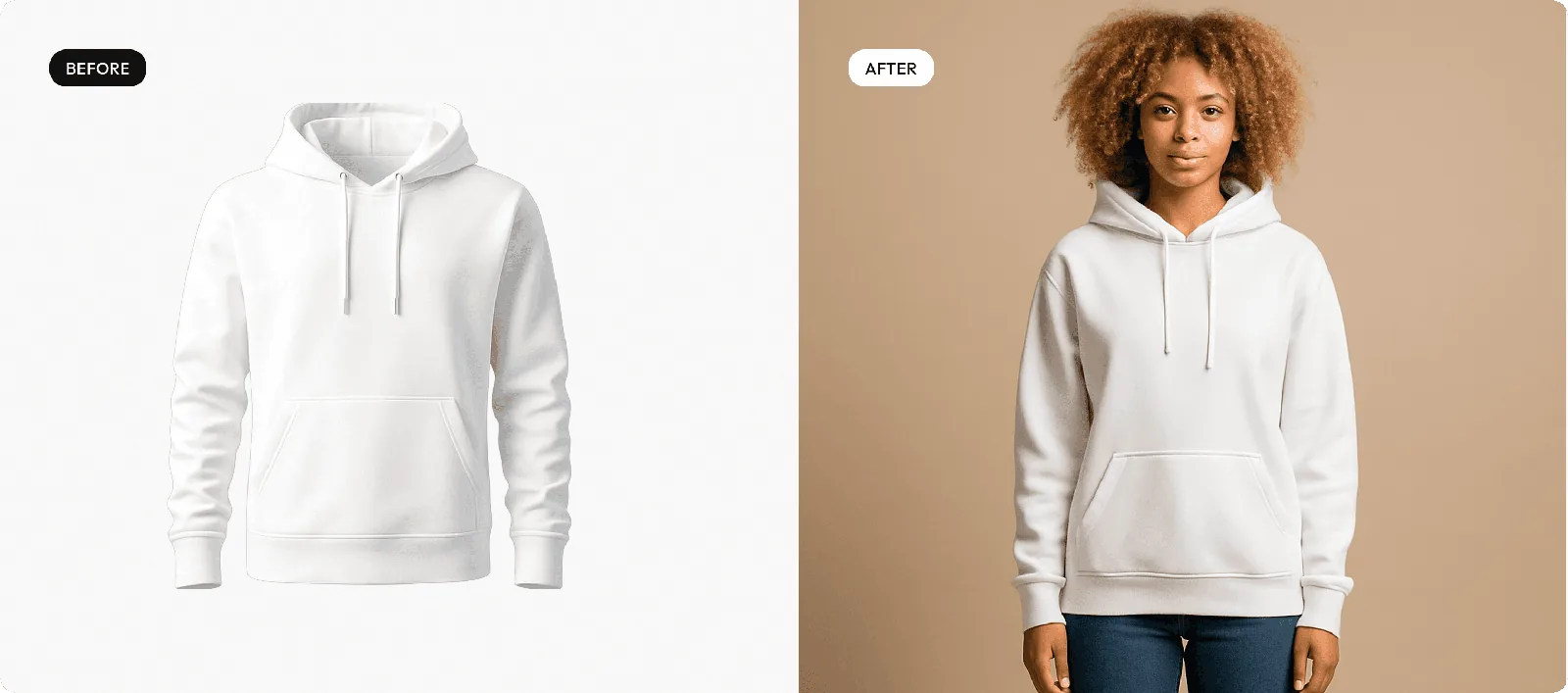
Caspa vs Photoroom is a choice between two starting points. Caspa is built to create: it turns one product photo into studio, lifestyle, flat lay and on-model scenes, infographics, Amazon A+ content and short product videos, and keeps the product itself unchanged. Photoroom is built to edit: an AI photo editor and listing studio for background removal, batch edits, templates and AI scenes, with apps for iPhone, iPad, Android, the web and Shopify.
Caspa is our product. We checked Photoroom's pricing page and help center on November 5, 2026. Prices are in US dollars and can change, and Photoroom notes that the monthly AI credits in a plan can vary by country.
Quick verdict
Choose Caspa if
You want on-model photos, lifestyle and flat lay scenes, infographics, Amazon A+ content and product video from a single product shot. Every plan includes 4K upscaling and a Shopify app, and Scale adds API access.
Choose Photoroom if
Your main job is clean cutouts, white backgrounds and resizing across a large catalog, you edit mostly on your phone, or you need more than 3 people on one account. Its Pro plan costs $7.50 a month billed yearly.
Feature comparison
| Caspa | Photoroom | |
|---|---|---|
| Built for | AI product photos and video for ecommerce brands | AI photo editing and a listing studio for ecommerce |
| Free to start | 10 free credits, no credit card | Limited free plan (100 exports a month); 7-day trial on yearly Pro and Max |
| Paid plans from | $59 a month, or $39 a month billed yearly | $7.50 a month billed yearly |
| AI scenes | Studio, lifestyle and flat lay scenes, custom backgrounds, templates | AI Backgrounds, Product Staging, templates |
| People in shots | AI human and animal models | AI Fashion Models (1K on Pro, up to 4K on Ultra) |
| Product video | Growth and Scale plans | Max and Ultra plans (up to 50 or 150 generations a month) |
| Editing | Background remover, magic eraser, AI editing | Background remover, retouch, AI shadows, AI fill, expand and resize, image enhancer |
| Resolution | Upscaling up to 4K on every plan | 4K images and HD video on Ultra |
| Infographics and A+ content | Infographic and A+ content tools on every plan | Templates and Product Staging, which Photoroom suggests for A+ modules |
| Batch and automation | API access on Scale | Batch editing in the web app; API sold as separate API plans, not included in Pro, Max or Ultra |
| Shopify | Caspa Shopify app on every plan | Shopify integration on Max and Ultra |
| Apps | Web app and Shopify app | iPhone, iPad, Android, web and Shopify |
| Team seats | Up to 3 users on Scale | Up to 50 seats on every paid plan |
| Refunds | 30-day refund on unused credits | Refunds up to one week after purchase |
Pricing as of November 2026
| Plan | Billed monthly | Per month, billed yearly | What you get |
|---|---|---|---|
| Caspa Starter | $59 | $39 | 500 credits a month, images only (no video), upscaling up to 4K, infographics, A+ content, AI editing, commercial use license |
| Caspa Growth | $99 | $66 | 1,000 credits a month, image and video generation, priority support |
| Caspa Scale | $249 | $166 | 2,500 credits a month, image and video generation, up to 3 users, API access, custom integrations |
| Photoroom Pro | $12.99 | $7.50 | 8,000 AI credits and 1,000 exports a month, core editing tools, AI Backgrounds, AI Fashion Models |
| Photoroom Max | $34.99 | $20.99 | 25,000 AI credits and 3,000 exports a month, Video Generator, Shopify integration |
| Photoroom Ultra | From $99 | $82.50 | 75,000 AI credits and 10,000 exports a month, Video Generator, 4K images and HD video |
| Photoroom Enterprise | Custom | Custom | Annual contract, SSO, SLA and dedicated onboarding |
Sources: Caspa pricing, Photoroom pricing, Photoroom export limits, Photoroom trials. Checked November 5, 2026. Yearly prices are from Photoroom's pricing page; monthly prices are from Photoroom's own plan comparison, which lists the same yearly prices. Credits don't translate between tools: Photoroom lists how many generations each feature allows per plan, while Caspa lists credits per plan. Run the same product through both before you compare cost per image.
Where Caspa is stronger
Shopify publishing on every plan
Caspa's Shopify app works with the free credits and every paid plan, so finished images go to your product pages from inside Caspa. Photoroom lists its Shopify integration on the Max and Ultra plans, not on Pro.
4K on the entry plan
Caspa's Starter plan includes upscaling up to 4K. Photoroom includes 4K images on its Ultra plan, which costs $82.50 a month billed yearly.
On-model shots in 4K
Caspa's AI human and animal models work at up to 4K on every paid plan. Photoroom's AI Fashion Models are 1K on Pro and reach 4K only on Ultra.
Infographic and A+ content tools
Every Caspa plan has infographic and Amazon A+ content tools in its canvas editor. Photoroom suggests its templates and Product Staging for A+ modules.
A longer refund window
Caspa gives a 30-day refund on unused credits on new subscriptions. Photoroom's pricing FAQ says it refunds customers up to one week after purchase.
Where Photoroom is stronger
- Price. Billed yearly, Pro costs $7.50 a month against $39 for Caspa Starter. Video starts on Max at $20.99 a month billed yearly, against $66 for Caspa Growth.
- Catalog-scale editing. Batch editing runs across thousands of images in one job, and core tools such as the background remover, retouch and preset AI shadows use no credits.
- Mobile apps. Photoroom runs on iPhone, iPad and Android as well as the web. Caspa runs in the browser and inside Shopify.
- Teams and enterprise. Every paid Photoroom plan allows up to 50 seats, against 3 users on Caspa Scale, and Enterprise adds SOC 2 Type 2, SSO and an SLA.
Sources: Photoroom pricing, Photoroom apps and tools, Photoroom for Amazon sellers. Checked November 5, 2026.
Caspa vs Photoroom: common questions
Photoroom's entry price is lower: as of November 2026, Pro costs $7.50 a month billed yearly, against $39 a month billed yearly for Caspa Starter. The plans cover different work, though. Photoroom Pro is mainly an editor; its video and Shopify integration start on Max at $20.99 a month billed yearly, and 4K images on Ultra at $82.50. Caspa Starter already includes on-model and lifestyle scenes, infographics, A+ content, upscaling up to 4K and the Shopify app. If you need new scenes rather than edits, Caspa's 10 free credits let you compare on your own product.
Yes. Photoroom includes its Video Generator on the Max and Ultra plans. Caspa includes video generation on the Growth and Scale plans; the Starter plan is images only.
Both. Caspa's Shopify app works with every Caspa plan and sends images to your store from inside Caspa. Photoroom lists its Shopify integration on the Max and Ultra plans.
No. Caspa places your product into a new scene and keeps it unchanged, including text, patterns and logos, unless you choose to edit it.
Yes. Every new account gets 10 free credits with no credit card required, and paid plans come with a 30-day refund on unused credits.
See your product on a model or in a lifestyle scene
Upload one product photo and get studio, lifestyle and on-model shots, plus short videos on Growth and Scale.
10 free credits · No credit card required · 30-day refund on unused credits for paid plans