
AI Sunglasses and Glasses Product Photography
Glasses photography and sunglasses photoshoots without booking a model. Upload one photo of your frames and get on-model front and profile views, outdoor scenes and white-background shots.
10 free credits · No credit card required
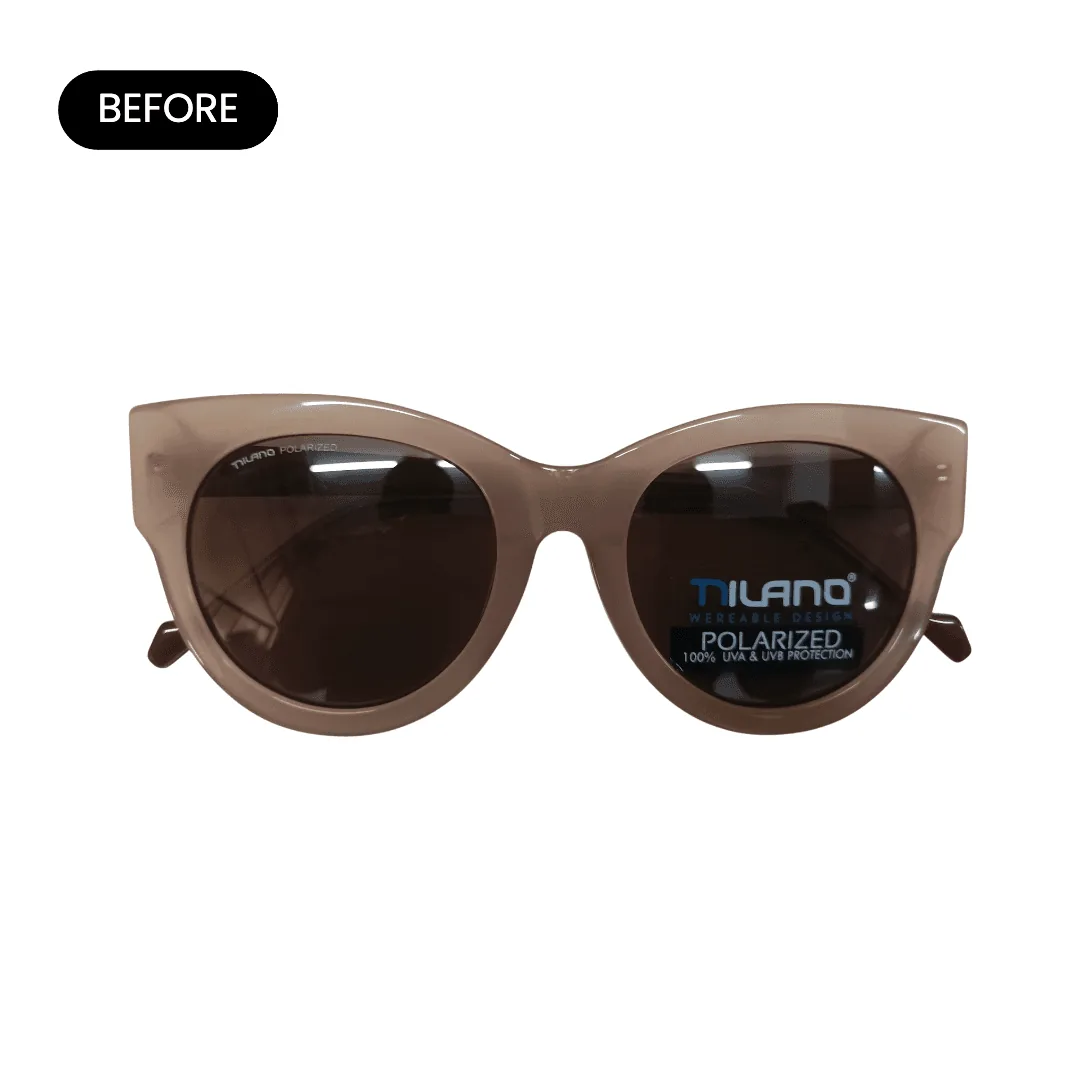
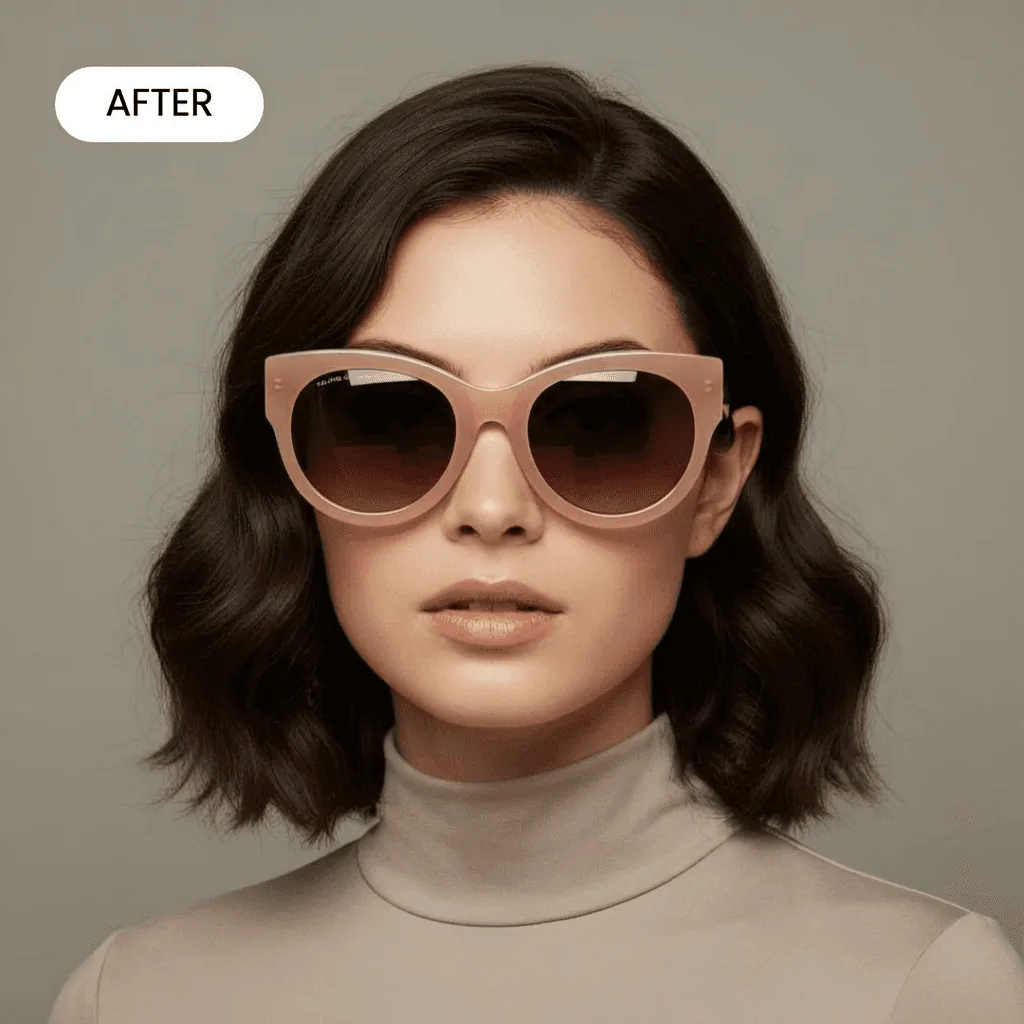
What you can make from one photo of your frames
Six kinds of shot from the same product photo. The on-model examples below were made on Caspa AI.
White-background product shot
The frames alone on pure white, front-on or angled, for marketplace main images and your catalog.
On-model, front and profile
An AI model wearing the frames, front, three-quarter and side, so shoppers see the width on a face and how the arms sit.
Outdoor and lifestyle scenes
Sunglasses at the beach, on a city street or on kids in a garden. Pick a scene or describe your own.
Different faces, same frame
The same frames on models of different ages and ethnicities, to show fit on more than one face and to A/B test ads.
Flat lays with the case
The frames with their case, cloth and a book or passport, from above. Caspa can place several products in one photo.
Short product video
Turn a photo of your frames into a short clip for product pages, ads and social, on the Growth and Scale plans.
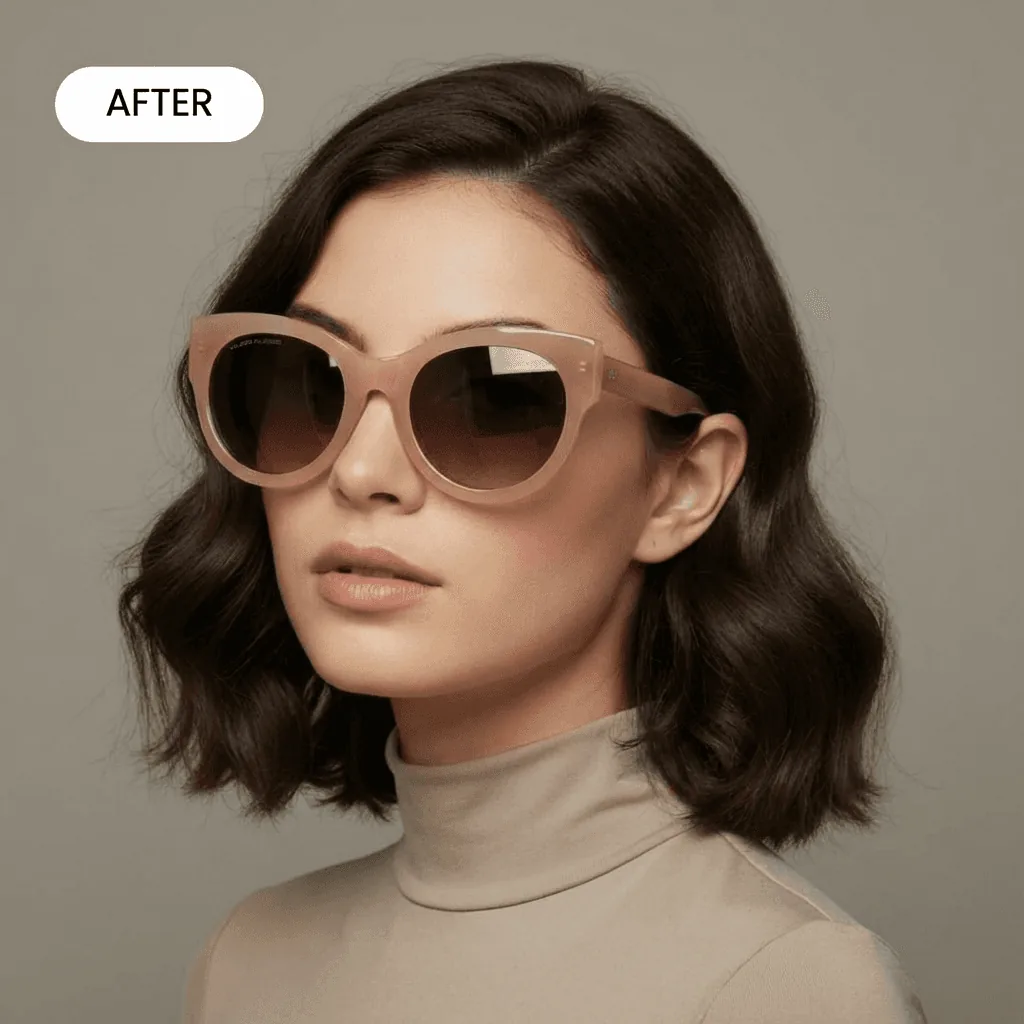
Three-quarter view
The frames from an angle, so shoppers see the lens curve and how far the front sits from the face.
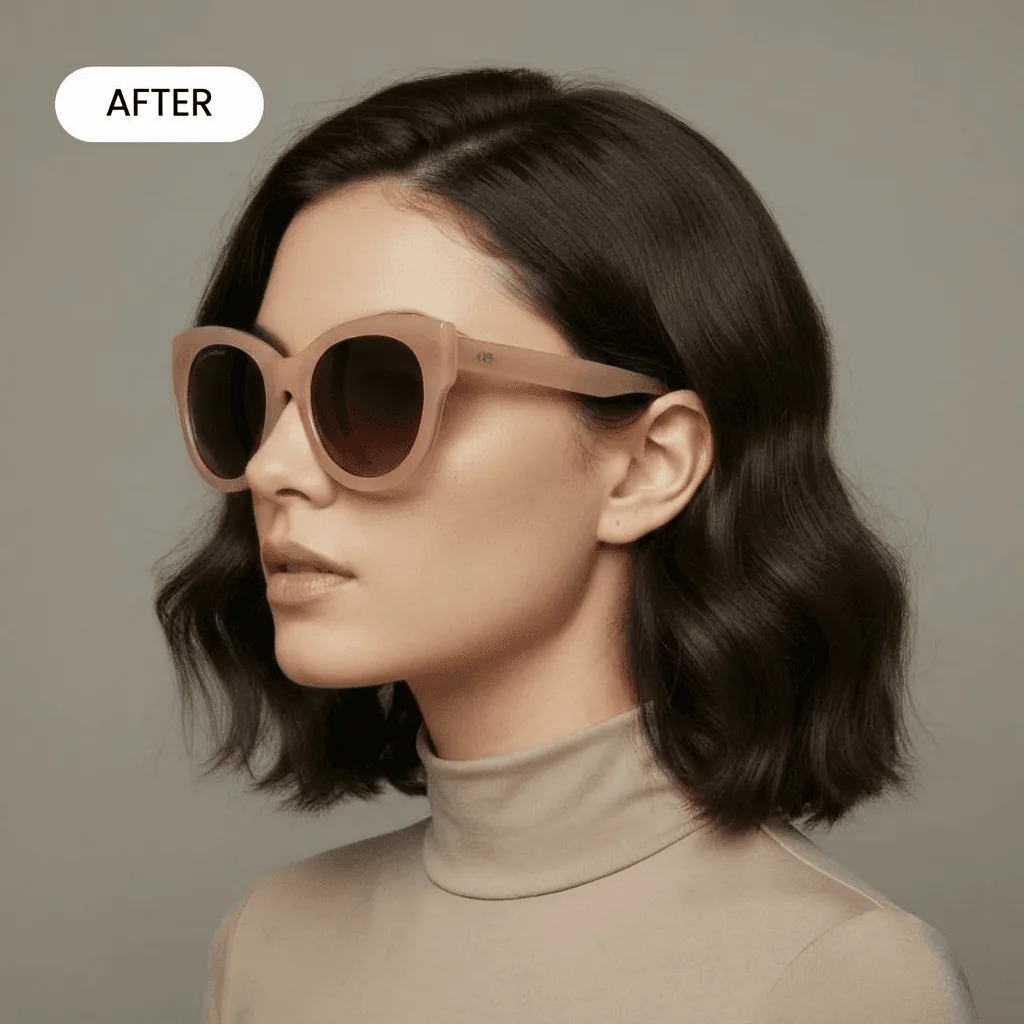
Profile
The arm and how the frame sits on the ear, from the same single product photo as the hero shot.
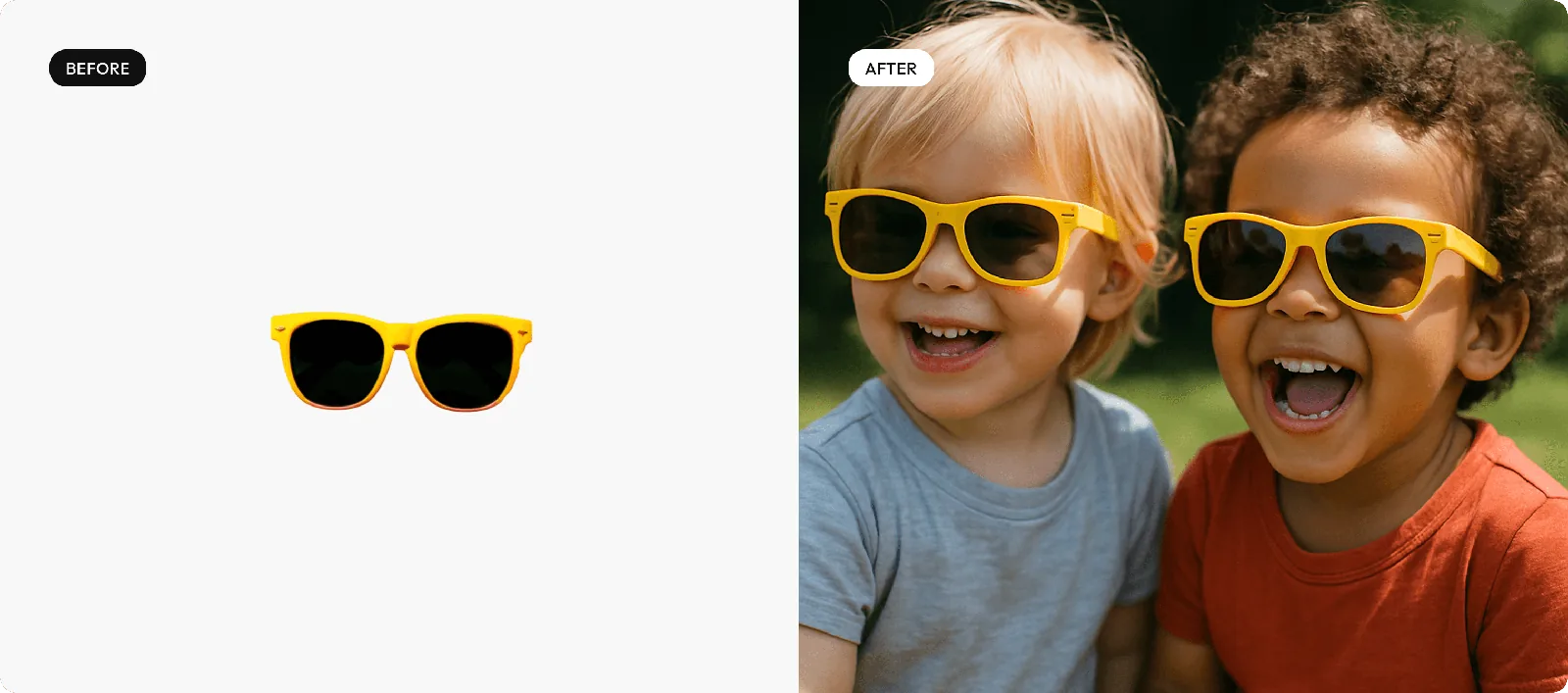
Kids’ sunglasses, outdoors
One photo of yellow kids’ sunglasses on white, placed on two children in a garden. Outdoor scenes suit kids’, sport and beach frames, where the setting shows what they’re for.
How it works
From one photo of your frames to a full listing in three steps.
Upload one product photo
Photograph the frames front-on with the arms open, on a plain surface. Caspa keeps the frame shape, color and lens tint as they are.
Pick a scene or describe one
Choose white, a model or a template, or type it: “tortoiseshell sunglasses on a woman at a beach bar, golden hour”.
Download or make a video
Download images for your listings, upscaled to 4K if you need it, or turn one into a product video on Growth or Scale.
Glasses photography shot list
What shoppers check before they buy frames they can’t try on.
Angles
- Front, arms open, lenses level
- Three-quarter view
- Side view showing the arm and hinge
- Folded, from above
Details
- Hinges and temple tips
- Lens tint or mirror finish
- Logo on the arm or lens
- Nose pads and bridge
Fit
- On a face, front and side
- The size printed on the arm (for example 52-18-140) on an infographic
- Each color or tint at the same angle
- With the case and cloth in a secondary image
Shoot yourself: the hinges, the logo on the arm and close-ups of the lens finish. They have to match the frames the buyer receives.
Make with Caspa: on-model front, three-quarter and profile shots, outdoor scenes and ads on different faces, starting from one photo of the frames.
Marketplace rules for eyewear images
Main-image rules as of October 2026. Marketplaces update them, so check before you list.
Amazon. Amazon’s guidelines for accessories want a pure white background (RGB 255, 255, 255) in the main image, one view of the frames, no visible mannequin, no packaging or tags, and the product filling at least 85% of the frame. Amazon image rules
Etsy. Every listing needs at least one unedited photo of the actual frames against a real background. On the other photos Etsy allows AI edits such as new backgrounds, as long as the item still looks like what the buyer receives. Etsy recommends 2,000 pixels or more on each side. Etsy photo rules
Shopify. Shopify sets no background rule. Square images at 2048 x 2048 pixels usually display best, and one aspect ratio for every main image keeps collection pages even. Shopify image sizes
Eyewear photography guides
For the shoot you do yourself.
Questions about AI eyewear photography
Any other questions? Get in touch.
Caspa is built to keep your product unchanged: the frame shape, color, lens tint and logo come from your photo, and the model and scene change around them.
Yes. Generate the same frames on models of different ages and ethnicities. It helps shoppers picture the fit and lets you A/B test ad creatives.
Shoot near a window with the light coming from the side, not from behind you, and tilt the frames slightly so the lenses don’t mirror your phone. Clear optical lenses are easiest against a plain, light background.
Yes. The yellow kids’ sunglasses above were photographed on white and placed on two children outdoors. Optical frames go through the same steps: upload a photo of the frames, then pick the model and setting.
Yes, on the Growth and Scale plans. Caspa turns a single photo of your frames into a short product video for product pages, ads and social.
Every new account gets 10 free credits, no credit card required. Starter costs $59 a month, or $39 a month billed yearly, for 500 credits and images only. Growth adds video: $99 a month, or $66 billed yearly, for 1,000 credits. Every plan includes a commercial use license, and new subscriptions have a 30-day money-back guarantee. See all plans.