
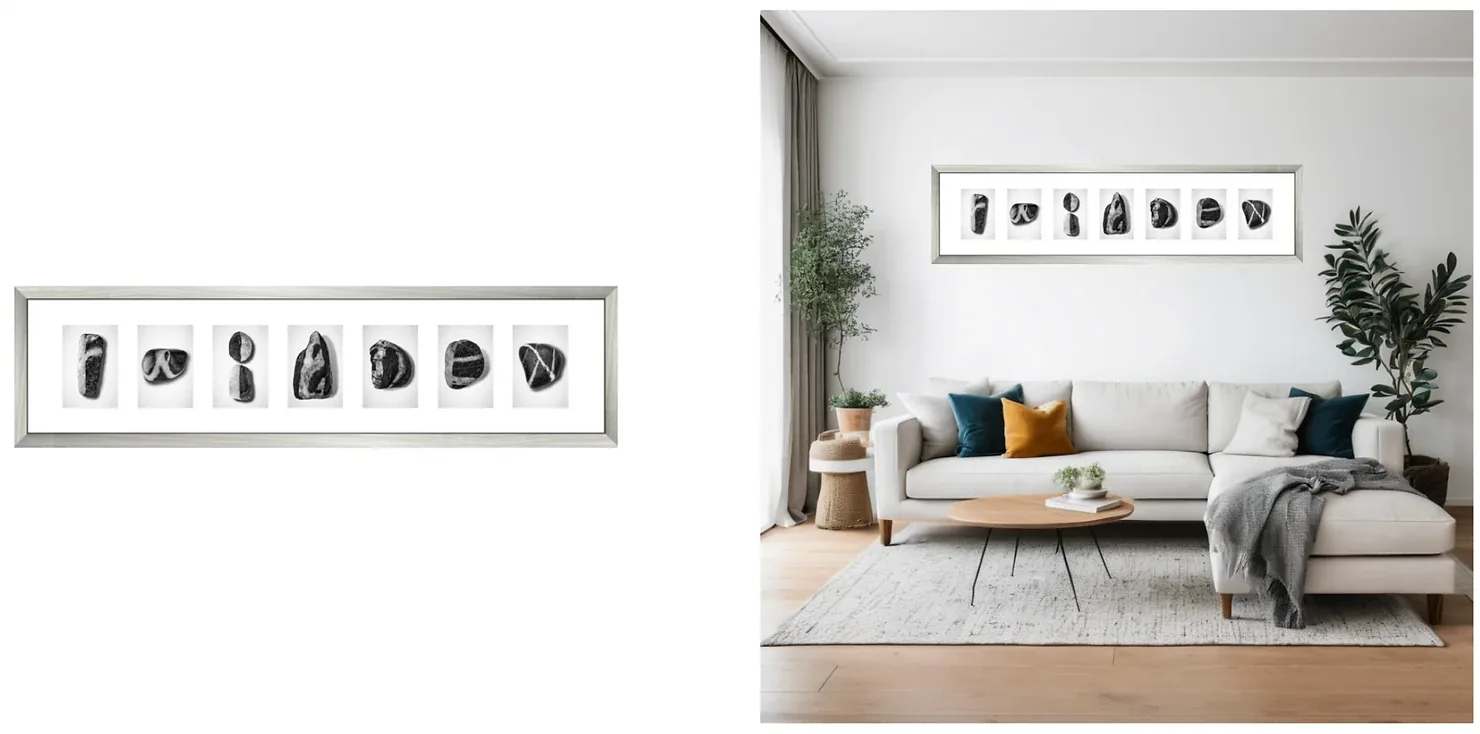
Should you book a product photographer or use AI? For most ecommerce brands the honest answer is both, for different shots. This comparison of AI vs traditional product photography looks at cost, speed, quality and control, and at the situations where each one clearly wins.
We make an AI product photography tool, so we have a side. We've tried to be straight about where a camera and a good photographer still beat software.
Contents
- The short answer
- Cost
- Speed
- Quality and accuracy
- Creative control
- AI models vs human models
- What about stock photos?
- Five questions to decide
- What to agree with a photographer or check in a tool
- When each one wins
- The hybrid workflow
- FAQ
The short answer
| AI product photography | Hiring a photographer | |
|---|---|---|
| Cost | Monthly subscription; Caspa starts at $39/month billed yearly | Per image, hour or day, plus models, studio, styling and retouching |
| Speed | Minutes per scene, whenever you need it | Days to weeks from booking to final files |
| Product accuracy | Depends on the tool: some keep your product unchanged, others redraw it and details drift | Exactly what the camera saw |
| Reflective, transparent or color-critical products | Still hit and miss | A skilled photographer handles them |
| Variety | Any setting, season or model, as often as you like | Limited by budget, props and locations |
| Creative control | Fast iteration; you steer by choosing and refining | Precise control on set; changes later mean a reshoot |
| Models | Any age or look, no fees or releases; cannot show real results on skin or hair | Real fit, movement and results; fees, scheduling and releases |
| Copyright | Purely AI-generated material is not protected in the US | Photos are protected; agree the usage rights in your contract |
If you sell a handful of products that need flawless detail, hire a photographer. If you need many images, fast, across many products and channels, AI wins. Most growing stores end up using real photos as the source and AI for everything built on top of them.
Cost: per shoot vs per month
A photographer prices by the image, the hour or the day, and the quote is rarely the whole bill. Add models, a stylist, studio hire, props, retouching, shipping samples back and forth, and the reshoot when a color comes out wrong. Our product photography pricing guide breaks these costs down, and our roundup of ecommerce product photography services compares studios.
AI tools charge a subscription. Caspa's Starter plan is $59 a month, or $39 a month billed yearly, for 500 credits of image generation; Growth adds video for $99 a month ($66 billed yearly). The full plans are on our pricing page, and every new account gets 10 free credits with no credit card required.
The difference that matters is how the costs grow. A shoot costs money every time you add products, colors or seasons. A subscription costs the same whether you use it for 20 images or 200, up to its credit allowance. AI has hidden costs too: your time to review and choose results, a learning curve, and the clean source photo you still need.
A worked example: you sell 40 products in three colors and want six images per listing. That's 720 images before any seasonal refresh. A common split is to photograph every color once on white (120 photos, from a photographer or a careful DIY setup), then make the lifestyle, on-model and seasonal images with AI from those photos. The shoot becomes a one-off cost, and the other 600 images come out of a subscription.
Speed: weeks vs minutes
A typical shoot runs from brief to quote, booking, shipping samples, the shoot itself, selection, retouching and delivery. Even a fast studio takes days, busy seasons take weeks, and every change goes back into the queue.
With AI, the timeline is the time it takes to upload a photo and choose a scene. That matters most when you:
- launch products often or sell seasonal stock;
- sell on several marketplaces with different image needs;
- test ad creative and need new variants every week;
- need a lifestyle image tomorrow, not next month.
Quality and accuracy
Quality has two parts: does the image look good, and does it show the product exactly as it is. AI now gets the first right for most products. The second depends on how the tool works.
Tools that generate the whole image, or redraw your product from a reference photo, can change logos, text, stitching and colors. Tools that keep your product and build the scene around it (Caspa works this way) leave the product as it was in your photo, so the quality of that source photo sets the ceiling.
A camera and an experienced photographer still win with:
- Reflective products: jewelry, watches, chrome and glass need controlled reflections. Our guides to photographing jewelry and watch product photography show why.
- Transparent products and liquids: bottles, glassware and perfume.
- Fine texture: knitwear, leather grain and fabric close-ups.
- Color-critical products: makeup shades, paint, dyed fabric, where the exact tone is the product.
- Fit and movement: how a garment drapes on a real body, or a product being used.
AI does well with products that have clear outlines and matte surfaces (apparel, home goods, furniture, packaged goods, accessories) and with lifestyle settings that would be expensive to build or travel to.
Creative control
On set, a good photographer makes hundreds of small decisions: where the light falls, how the fabric folds, when a prop distracts. You can direct all of them, but any change after the shoot means another shoot.
AI flips that trade-off. You get unlimited attempts within your credits and can try ideas you'd never pay to shoot, but you steer the result by choosing and refining rather than by moving a light ten centimeters. If you know exactly the picture you want, a photographer gets you there more reliably. If you want to explore, AI is faster.
AI models vs human models
AI models remove casting, model fees, usage rights and scheduling. You can show the same product on different ages, body types and ethnicities, then test which version your customers respond to.
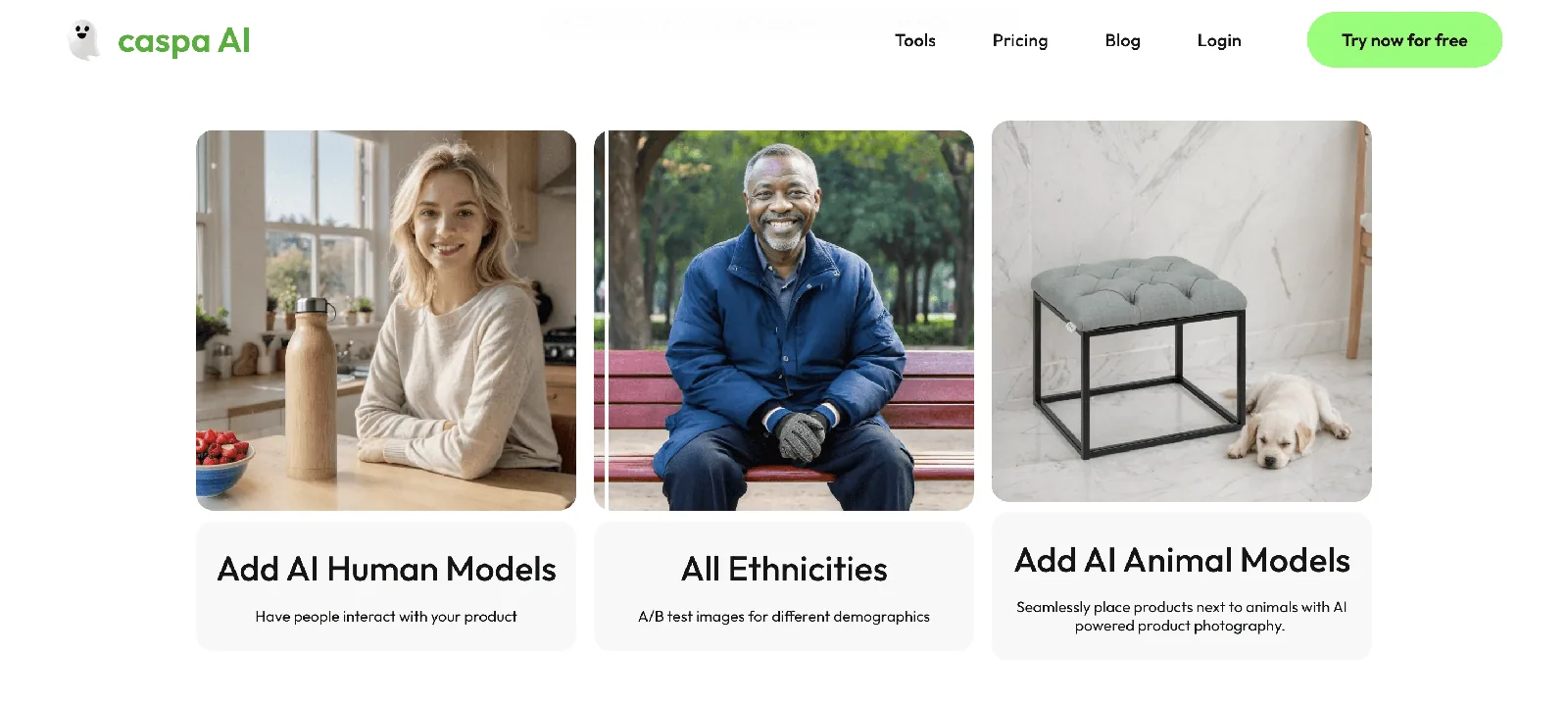
Human models still win when the claim is about the body: how a foundation matches skin, what a mascara does to lashes, how a serum changes skin, how jeans fit. An AI face showing results your product didn't produce can mislead buyers, and rules against misleading advertising apply to AI images too. Use real people and real results for those claims, and use AI models for styling, accessories and lifestyle context. Our guide to AI fashion photography shows where AI models work well.
What about stock photos?
Stock photos are the third option, and the weakest one for products. They can't show your product, and the same image is licensed to anyone who pays, including your competitors. AI scenes are generated around your own product. When you need a scene without a product (a blog header, an ad background), Caspa also makes custom AI stock photos.
Five questions to decide
- How many images do you need in the next 12 months? Multiply products by colors, by images per listing, by channels, then add seasonal refreshes. The bigger the number, the stronger the case for AI.
- Is your product reflective, transparent or color-critical? If yes, get the main images from a camera, even if AI makes the rest.
- Does an image have to prove a result on a person? If yes, use real people and real results.
- How often do your images change? Weekly ad tests and seasonal campaigns favor AI; a catalog that stays the same for years favors one good shoot.
- Do you already have accurate source photos? AI builds on them. If you don't, that's the first thing to fix, with a photographer or a careful DIY shoot.
If you hire a photographer, agree these in writing
- Usage rights: in the US and UK a freelance photographer normally owns the copyright unless the contract says otherwise, so agree where, how long and in which channels you can use the images, or buy the rights outright.
- Deliverables: number of final images per product, angles, crops and file sizes for each marketplace.
- Retouching: how many rounds are included, and what counts as a reshoot.
- Extras: models, stylist, props, studio and sample shipping, priced up front.
- Turnaround: delivery date for selects and for final files.
If you use AI, check these in the tool
- Product accuracy: does it keep your product unchanged, or redraw it?
- License: does your plan include commercial use? (Caspa plans include a commercial use license.)
- Output: resolution, upscaling and the formats your marketplaces need.
- Range: lifestyle scenes, on-model shots, flat lays, video if you need it.
- Cost and risk: what an image costs in credits, whether you can try it free, and the refund policy. Caspa gives every new account 10 free credits and paid plans a 30-day money-back guarantee.
For other options, see our list of AI tools for ecommerce.
When to hire a photographer
- Your brand sells on craft or luxury and the main image has to be flawless.
- Your products are reflective, transparent or color-critical.
- You need real people showing real results (beauty, skincare, haircare, fitness).
- You're shooting a campaign around a specific concept, location or person.
- You need accurate source photos of every product anyway.
When AI is the better choice
- You have many products, colors or variants to cover.
- You refresh images for seasons, holidays or new markets.
- You test ad creative and need new variants often.
- You want lifestyle or on-model images without a shoot budget.
- You're launching and need a complete listing this week.
For a hands-on guide to the AI side, read how to use AI for product photography.
The hybrid workflow most small brands end up with
- Get great source photos once. Hire a photographer for clean, accurate product shots, or take them yourself with a simple DIY setup.
- Build everything else with AI: lifestyle scenes, on-model shots, seasonal versions and ad variants from those source photos.
- Book a photographer for what AI can't do: hero campaigns, real results on people, tricky materials.
- Check every AI image against the real product before it goes live.
- Measure. Compare click-through and conversion by image, and put next quarter's budget where it paid off.
Will AI replace product photographers?
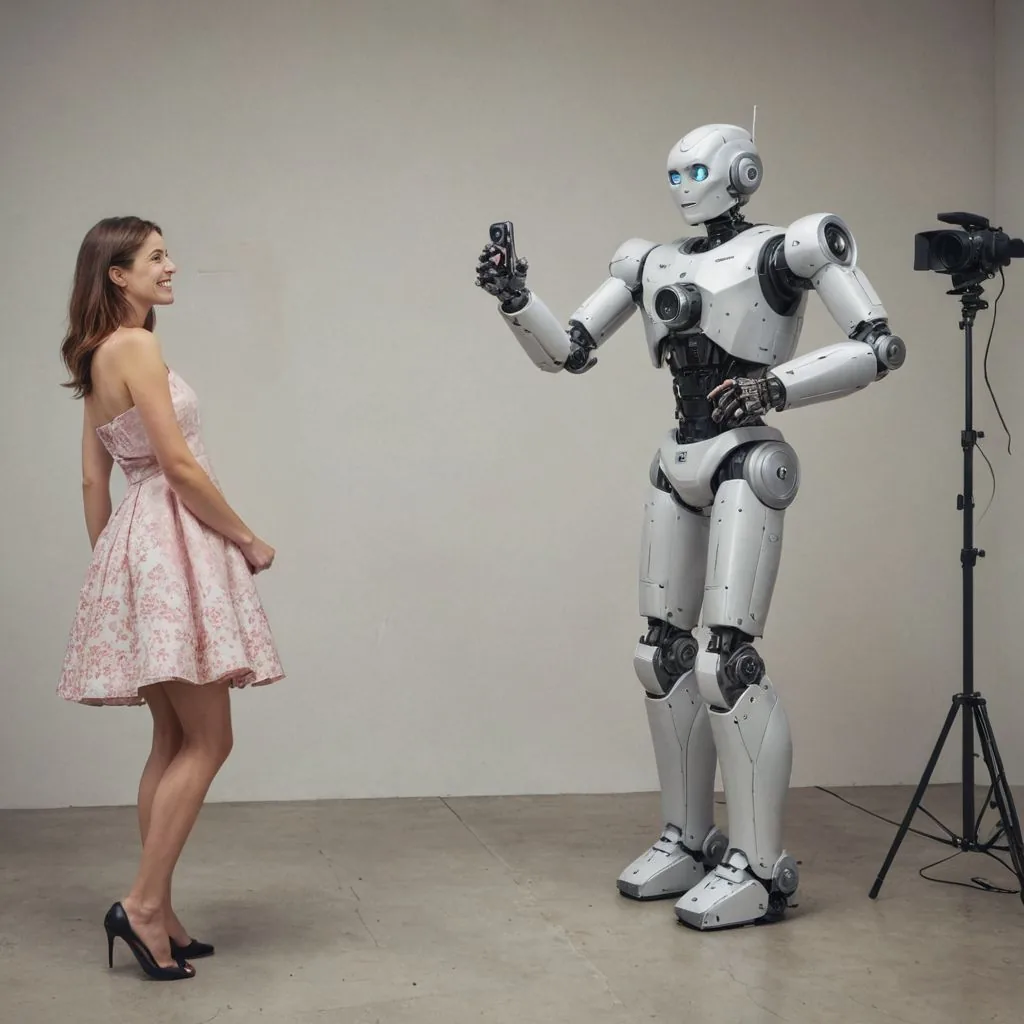
For routine catalog and lifestyle work, AI already replaces a lot of shoots, especially for small brands that never had a photography budget. It hasn't replaced the parts of the job that need a camera in a room: controlled light on difficult materials, real people, real results, and the judgement of someone who has shot thousands of products. Many photographers now use AI themselves for cleanup, backgrounds and variants. The more useful question for a store owner is which of your images need a camera, and which just need to exist.
Frequently asked questions
Is AI product photography cheaper than hiring a photographer?
Usually, once you need more than a few images. A photographer charges per image, hour or day plus extras such as models, styling and retouching, while AI tools charge a monthly subscription. Caspa starts at $39 a month billed yearly, and every new account gets 10 free credits.
Is AI product photography as good as a professional photographer?
For lifestyle scenes, on-model shots and products with clear outlines and matte surfaces, AI results are good enough for most listings and ads. For reflective, transparent or color-critical products, and for real results on people, a skilled photographer is still more reliable.
Will AI replace product photographers?
It is replacing a lot of routine catalog and lifestyle work, but not shoots that need controlled light on difficult materials, real people or real results. Many photographers now use AI tools in their own workflow.
Can AI models replace human models?
For styling, accessories and lifestyle context, often yes. When the product's effect on a person is the point, such as makeup, skincare, haircare or fit, use real people, because showing results the product didn't produce can mislead buyers.
Can I use AI product photos on Amazon and other marketplaces?
Yes, as long as they show the product accurately and follow each marketplace's image rules. Main images usually have the strictest rules, so check the image requirements for each marketplace first.
Who owns AI-generated product photos?
It depends on the tool's terms, and in the US purely AI-generated material is not protected by copyright. Our guide to using AI images commercially explains licensing and ownership.
Test AI on your next product
Before you book your next shoot, run one product through AI: upload a clean photo, make a lifestyle scene and an on-model shot, and compare them with what the studio would deliver. Your first 10 credits are free, no credit card required.