
Etsy image size is simple: Etsy recommends listing photos at least 2000 pixels wide and tall, and the first photo should be at least 635 pixels in both directions. The rules that catch sellers out are elsewhere: the first photo sets the shape of the rest, thumbnails get cropped three ways, and every listing needs one unedited photo of the actual item. Everything here is from Etsy's Help Center, checked on October 27, 2026.
Short answer: the recommended Etsy photo size is at least 2000 x 2000 pixels, and the first photo should be at least 635 pixels wide and tall. Make the first photo landscape or square. Upload .jpg, .png, .gif, .svg or .heic files, ideally under 1 MB. A listing holds up to 20 photos and 2 videos, and at least one photo must be an unedited photo of the actual item against a real background.
- Etsy image specs
- First photo and other photos
- Etsy's image authenticity rules
- Checklist before you upload
- Common Etsy photo problems
- FAQ
Etsy image size and photo specs
| Spec | Requirement |
|---|---|
| Recommended size | Width and height of at least 2000 pixels. |
| Minimum size | First photo at least 635 pixels wide and tall, or the listing can show lower in search. |
| Shape | First photo landscape or square. It sets the shape of the photos after it. |
| Thumbnails | Cropped to square, portrait and landscape across Etsy, so leave a border around the item. |
| File types | .jpg, .gif, .png, .svg or .heic. Animated GIFs and transparent PNGs aren't supported; transparent areas show as black. |
| File size | Images larger than 1 MB may not finish uploading on a slow connection. |
| Color | Etsy converts images to the sRGB color profile. CMYK is for print. |
| Photos per listing | Up to 20. |
| Authenticity | At least one unedited photo of the actual item against a real background. Some exceptions may apply depending on what you sell. |
| Background | No required color. |
| Video | Up to 2 per listing, 5 to 15 seconds (Etsy's video article allows 3 to 15), up to 100 MB, MP4, MOV, FLV, AAC, AVI, 3GP or MPEG. Audio is removed. Minimum 500 pixels, ideally 1080 pixels or more. Etsy's help page gives the aspect ratio as 2:1 or 1:2. |
First photo and other photos
The first photo is the one buyers see in search, so it carries the most rules:
- At least 635 pixels wide and tall.
- Landscape or square, which keeps the item's center in every cropped thumbnail. Upload the rest in the same shape for a cohesive listing.
- Etsy's best practice: make it the clearest, most realistic view of what the buyer will receive.
- Shoot further back than you think you need and center the item, then check the crops with the listing thumbnail adjustment tool.
The other photos can do more work: angles, scale, details, the item in use, variations. Editing, including AI, is allowed on them for lighting, color, cropping, resizing and new backgrounds, as long as the item still looks as it really is.
Etsy's image authenticity rules
Etsy's Help Center lists these image authenticity requirements:
- All images must accurately reflect the item's true appearance, including color, condition, scale and materials.
- At least one unedited photo of the actual item against a real background, meaning a photo that hasn't been edited or changed in any way.
- Outside that photo, you can use photo-editing tools, including AI, to adjust lighting or color, crop or resize images, or change backgrounds.
- No editing that hides flaws, conceals damage, or makes the item look different from what the buyer will receive.
- No images that create false expectations about what the buyer will receive.
- Patterns, recipes and instructions: show an actual result made from them, not an AI-generated or simulated one.
Etsy adds two best practices: make the first photo the most realistic one, and if you used AI to edit any listing photos, say so in the listing description.
Etsy photo checklist before you upload
- Every photo at least 2000 pixels wide and tall where the original allows, and the first photo never under 635.
- First photo landscape or square, and all photos the same shape.
- Item centered with space around it, checked in the thumbnail adjustment tool.
- One unedited photo of the actual item on a real background.
- No transparent PNGs.
- sRGB color.
- Files around 1 MB or less if your connection is slow.
- AI edits noted in the listing description.
- Videos 5 to 15 seconds and under 100 MB, with nothing that depends on sound.
Common Etsy photo problems
Etsy doesn't publish a rejection list the way Amazon does. These are the problems its help pages describe, and the fixes:
| Problem | Cause and fix |
|---|---|
| Listing shows lower in search | First photo under 635 pixels wide or tall. Re-export it larger. |
| Black background | A transparent PNG. Save the photo on a solid background or as a JPG. |
| Upload doesn't finish | A file over 1 MB on a slow connection. Export a smaller JPG. |
| Item cut off in thumbnails | Shot too tight. Shoot wider, center the item and check the three crops. |
| Colors look off | A CMYK or unusual color profile. Convert to sRGB. |
| Photo shows sideways | Etsy rotates photos using camera data. Rotate the file in an editor and upload it again. |
| Breaks the authenticity rules | Only edited or AI images, or edits that change the item. Add an unedited photo of the actual item. |
Where Caspa fits on Etsy
Keep your own unedited photo as one of the 20. Use Caspa for the photos around it: the item on a new background, in a styled room, on a model or in a flat lay. Etsy allows AI editing outside the required unedited photo, including changing backgrounds, as long as every image shows the item's true color, condition, scale and materials. Caspa keeps the product itself unchanged, which matches Etsy's line: edits can change the scene, not how the item looks. Then add a line to your description saying AI was used to edit some photos.
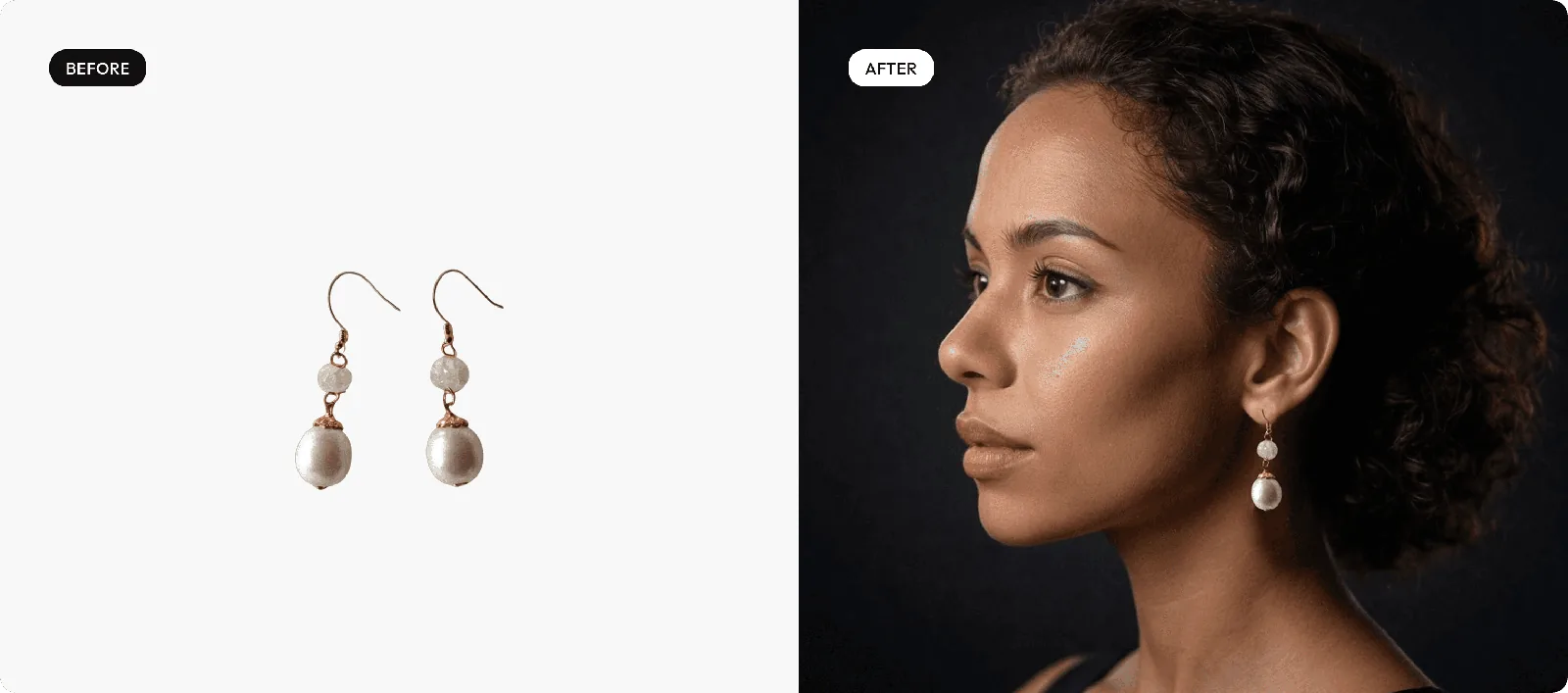
By product type: jewelry, clothing, candles, skincare and lifestyle product photography. For the unedited photo, see taking jewelry photos with a phone and flat lay clothing photography. Selling on your own store too? See Shopify product photography.
Make Etsy lifestyle and on-model photos from your own product shot
Upload the photo you already took, then generate styled scenes, model shots and flat lays around it.
Every new account gets 10 free credits, no credit card required. Paid plans come with a 30-day money-back guarantee.
Etsy photo size FAQ
What is the best Etsy image size?
Etsy recommends listing photos with a width and height of at least 2000 pixels. A square 2000 x 2000 pixel photo meets that; a landscape photo needs to be wider than it is tall, for example 2700 x 2000 pixels.
What is the minimum photo size on Etsy?
Your first listing photo should be at least 635 pixels wide and 635 pixels tall. A smaller first photo can make the listing show up lower in Etsy search.
Should Etsy photos be square or landscape?
Etsy says the first photo should be landscape or square, and it sets the shape of the photos after it. Its thumbnail tips lean landscape ("avoid square crops"). Either way, center the item with space around it, because Etsy crops thumbnails to square, portrait and landscape.
How many photos can an Etsy listing have?
Up to 20 photos and 2 videos per listing.
Can I use AI photos on Etsy?
You can use AI to edit listing photos, for example to change the background or adjust lighting, as long as the images show the item's true color, condition, scale and materials. Every listing still needs at least one unedited photo of the actual item against a real background, and Etsy recommends noting AI edits in the description.
What are Etsy's listing video requirements?
Up to 2 videos per listing, 5 to 15 seconds long (Etsy's video article allows 3 to 15), up to 100 MB, in MP4, MOV, FLV, AAC, AVI, 3GP or MPEG. Audio is removed on upload. The minimum resolution is 500 pixels and 1080 pixels or more is ideal.
Why do my Etsy photos have a black background?
Etsy doesn't support transparent PNGs, and transparent areas show as black. Save the photo on a solid background, or as a JPG, before uploading.
Sources
From Etsy's Help Center. Etsy updates these articles, so treat the details above as accurate as of October 2026.
- Requirements and Best Practices for Images in Your Etsy Shop, checked October 27, 2026
- How to Add Listing Videos, checked October 27, 2026
- How to Create a Listing, checked October 27, 2026