
The Shopify product image size that usually displays best is 2048 x 2048 pixels for square images, according to Shopify's Help Center. Shopify sets no background or styling rules for product images in your own store, so what matters is staying inside the upload limits, choosing the right file type and keeping one aspect ratio across your catalog. Checked on October 27, 2026.
Short answer: upload square product images at 2048 x 2048 pixels, under 20 MB. Shopify's product media page allows up to 5000 x 5000 pixels (25 megapixels), but its image upload page lists 20 megapixels as the limit, so stay under 20 megapixels (4472 x 4472 for a square). Use PNG or JPEG, keep one aspect ratio for all featured images, and add up to 250 images, videos or 3D models per product.
- Shopify image specs
- Featured image and the rest
- Checklist before you upload
- Common Shopify image problems
- FAQ
Shopify product image size and specs
| Spec | Requirement |
|---|---|
| Recommended size | 2048 x 2048 pixels for square product images. |
| Maximum dimensions | Up to 5000 x 5000 pixels or 25 megapixels on the product media page; the image upload page lists a 20 megapixel limit. Under 20 megapixels satisfies both. |
| Maximum file size | Under 20 MB. |
| File types | PNG or JPEG. Shopify's product media page names PNG first, then JPEG; its upload guide calls JPEG ideal for photos and PNG ideal for flat-color graphics. Also accepted: TIFF, BMP, GIF, SVG, HEIC and WebP, including animated GIF and WebP. |
| Aspect ratio | Not fixed. Use one ratio for all featured images; theme sections crop images that don't match their own ratio. |
| Compression | Not needed before upload. Shopify doesn't compress the files you upload. |
| Media per product | Up to 250 images, videos or 3D models. The limit can't be raised. |
| Video | MP4, MOV or WebM, up to 10 minutes, up to 1 GB, up to 4K (4096 x 2160). YouTube and Vimeo links can be embedded instead. |
| 3D models | GLB or USDZ, up to 500 MB. |
| Variant images | Images only. Videos and 3D models can't be variant media. |
| Alt text | Up to 512 characters; 125 or fewer recommended. |
| Background | No rule. Your store, your choice. |
Featured image and the rest
The featured image is the one shown in collection grids and search. When featured images have different aspect ratios, products display at different sizes side by side, so Shopify asks you to keep one ratio for all of them. Theme sections also crop images to their own ratio, and wide images can lose their left and right edges on tall phone screens.
The rest of the gallery is where angles, details, the product in use, on-model shots and video go. Shopify has no background rule, but a consistent background across a collection keeps the grid tidy, and a white one doubles as your main image if you also sell on Amazon or Walmart.
Shopify image checklist before you upload
- Square 2048 x 2048, or one other ratio used for every featured image.
- Under 20 MB and under 20 megapixels.
- PNG or JPEG.
- The same background and lighting style across a collection.
- Space around the product, previewed on a phone.
- Alt text that describes the product, 125 characters or fewer.
- Angles, a detail shot, the product in use, and an on-model shot if it's worn.
- Video in MP4, MOV or WebM, under 1 GB and 10 minutes.
Common Shopify image problems
| Problem | Cause and fix |
|---|---|
| Upload fails | Over 20 MB or over 20 megapixels. Export smaller, for example a 2048 x 2048 JPEG. |
| Uneven collection grid | Featured images with different aspect ratios. Re-crop them all to one ratio. |
| Product cut off on mobile | The theme section crops to its own ratio. Leave space around the product and preview on a phone. |
| Slow pages | Shopify notes that color profiles can take up large amounts of disk space and slow page loading. Export without a large embedded profile. |
| Blurry zoom | Small originals. Re-shoot, or upscale before uploading. |
| Can't add more media | The 250-item limit per product, which can't be raised. Remove unused media. |
Where Caspa fits on Shopify
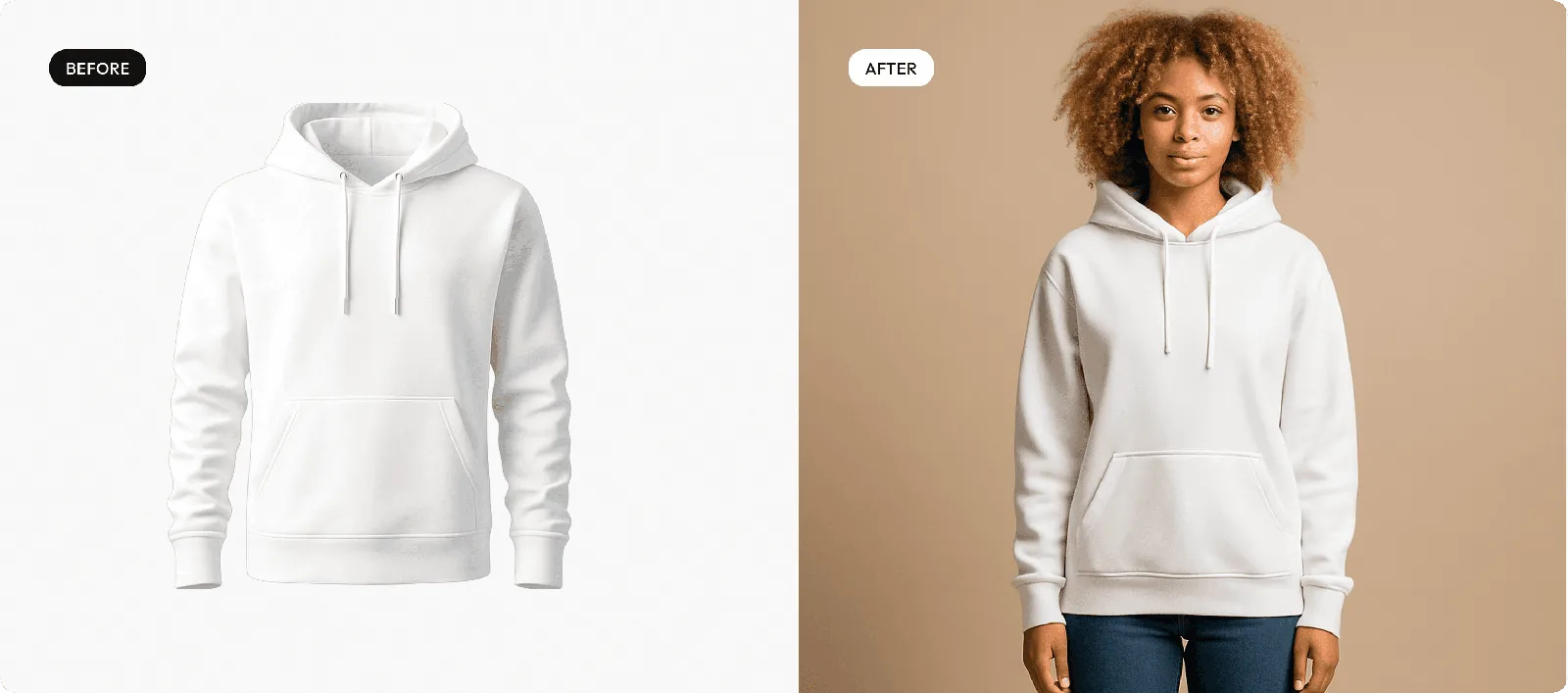
Caspa runs inside Shopify as an app: install it from the Shopify App Store, upload a product shot, pick a scene, model or template, and publish straight to the product page. The product stays unchanged; only the scene changes.
- Consistent featured images: the same background and framing across a collection.
- Lifestyle and on-model images for the rest of the gallery.
- Upscaling to 4K for small originals.
- Short product videos, on the Growth and Scale plans.
More on Shopify product photography with Caspa. By product type: clothing, AI fashion photography, jewelry, skincare and coffee and tea. For layouts that convert, see these product listing page examples.
Make consistent product images for your Shopify store
Install Caspa from the Shopify App Store, or try it in your browser first.
Every new account gets 10 free credits, no credit card required. Paid plans come with a 30-day money-back guarantee.
Shopify image size FAQ
What is the best Shopify product image size?
2048 x 2048 pixels for square product images, which Shopify says usually displays best. Whatever size you choose, use the same aspect ratio for every featured image.
What is the maximum image size on Shopify?
Files must be under 20 MB. Shopify's product media page allows up to 5000 x 5000 pixels or 25 megapixels, while its image upload page lists 20 megapixels as the limit. Staying under 20 megapixels (4472 x 4472 for a square) satisfies both.
What aspect ratio should Shopify product images be?
Shopify doesn't require one, but asks you to keep a consistent aspect ratio across featured images so collection pages line up. Square is the simplest choice and matches the 2048 x 2048 recommendation.
What file format is best for Shopify product images?
Shopify's product media page names PNG first, then JPEG, while its image upload page calls JPEG ideal for photographs and PNG ideal for graphics with flat colors. TIFF, BMP, GIF, SVG, HEIC and WebP are also accepted.
How many images can a Shopify product have?
Up to 250 images, videos or 3D models per product. Shopify says this limit can't be raised.
What are Shopify's product video requirements?
MP4, MOV or WebM files up to 10 minutes long, up to 1 GB, and up to 4K (4096 x 2160). You can also embed a YouTube or Vimeo video.
Do Shopify product photos need a white background?
No. Shopify has no background rule for your own store. A consistent background across a collection looks tidier, and a white one can double as your main image on Amazon or Walmart.
Sources
From Shopify's Help Center. Shopify updates these pages, so treat the details above as accurate as of October 2026.
- Product media types, checked October 27, 2026
- Adding product media, checked October 27, 2026
- Uploading images, checked October 27, 2026
- Adding alt text to media, checked October 27, 2026