
Amazon A+ Content replaces the plain product description with images, text modules and comparison charts. This page covers who can use it, the image specs Amazon publishes for Basic and Premium A+ Content, what gets content rejected, and how to plan the modules. Everything is from Amazon's A+ Content guide in Seller Central, checked on October 27, 2026.
Short answer: A+ images must be JPG, PNG or BMP, RGB only, under 2 MB each and at least 72 dpi. Amazon lists 970 x 300 pixel images for Basic A+ and 1464 x 600 for Premium A+, and each module in A+ Content Manager shows the size of its image boxes. A+ is open to brand owners and authorized resellers with brand-registered ASINs, at no additional cost for Basic or Premium.
- Who can create A+ Content
- Basic and Premium compared
- Image and file specs
- What gets A+ Content rejected
- How to plan your modules
- Checklist before you submit
- FAQ
Who can create Amazon A+ Content
- Brand owners and authorized resellers.
- The ASINs must be registered to your brand, and the brand name must match Amazon Brand Registry exactly, including capitalization.
- Basic and Premium A+ are available at no additional cost, and Amazon lists no extra eligibility criteria for Premium.
- Not available for Books, Music, Video or DVD in Seller Central.
Basic and Premium A+ Content compared
| Feature | Basic A+ | Premium A+ |
|---|---|---|
| Image size | 970 x 300 | 1464 x 600 |
| Modules on the detail page | 5 | 7 |
| Module types to choose from | 14 | 19 |
| Comparison chart | Yes | Yes |
| Video and hotspots | No | Yes |
| Navigation carousel | No | Yes |
Brand Story is separate: one module in the "From the brand" section, holding a carousel of up to 19 cards with backgrounds, images, text and links to your products and Brand Store. It works alongside Basic or Premium A+.
A+ image and file specs
| Spec | Requirement |
|---|---|
| File types | .jpg, .png or .bmp |
| Color | RGB only. CMYK isn't supported. |
| File size | Under 2 MB per image. |
| Resolution | At least 72 dpi. |
| Pixel size | Shown next to each image box in A+ Content Manager. Images that are too large are resized to fit, and you can crop and scale in the tool. |
| Not allowed | Animated images such as GIFs, watermarks, QR codes, HTML tags, hyperlinks or external redirects. |
| Alt text | Add alt text to every image. |
| Language | Text matches the content language. Other languages only in limited cases for brand identity. |
| Review | Up to seven business days. Approved content goes live within 24 hours. Up to 20 submissions can be pending at once. |
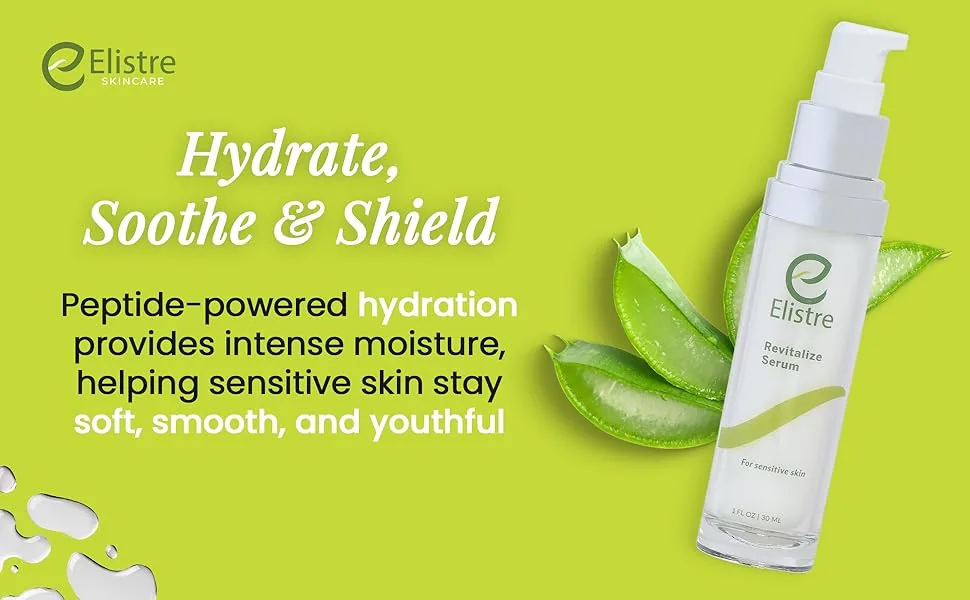
What gets Amazon A+ Content rejected
Amazon reviews every submission. Its not-acceptable list:
- Promotional language or pricing.
- Time-sensitive references.
- Comparisons with competitors. Comparison charts are for your own brand's products.
- Warranty or guarantee information.
- Shipping details.
- External links, contact information, QR codes or personal information.
- Blurry or low-quality images, and small text that's hard to read.
- Images duplicated from the product gallery.
- Watermarks and animated images.
Amazon's style rules on top: paragraphs of three sentences or fewer, consistent terms, serial commas, numbers under 10 spelled out, bold and italics used sparingly, and content formatted for mobile. If content is rejected, the reason shows in A+ Content Manager; fix it and resubmit.
How to plan your A+ modules
Amazon asks for content that doesn't repeat the image gallery and focuses on features and benefits rather than promotion. A five-module Basic layout to start from:
- Banner: the product and one line on what it's for.
- Three or four features, each with an image and a short caption.
- The product in use, in the setting your buyer has in mind.
- Details: materials, dimensions and what's in the box.
- A comparison chart of your own related products.
Premium A+ adds two more modules, video, hotspots and a navigation carousel. Keep text in images large enough to read on a phone, and write alt text for every image.
A+ Content checklist before you submit
- Brand registered, ASINs registered to your brand, and the brand name matching Brand Registry exactly.
- Images in JPG, PNG or BMP, RGB, under 2 MB and at least 72 dpi.
- Each image sized to its module box in A+ Content Manager.
- No images repeated from the product gallery.
- No prices, promotions, shipping details, warranty or guarantee claims, competitor comparisons, links or QR codes.
- Text readable on a phone, and paragraphs of three sentences or fewer.
- Alt text on every image.
- Photorealistic AI-generated people flagged with the "AI-generated people" box or the contains-synthetic-performer tag.
- Submitted at least seven business days before you need it live.
Where Caspa fits
A+ needs images that aren't already in your gallery, which usually means a second shoot. Caspa makes them from the product photo you already have, with the product unchanged:
- A+ content and infographics, included from the Starter plan up.
- Lifestyle scenes for the in-use module.
- On-model images for wearables. If a module shows photorealistic AI-generated people, tick "AI-generated people" when you upload the image to Creative Assets in A+ Content Manager, or tag the file with contains-synthetic-performer.
The rules for the image gallery above A+ are on our Amazon image requirements page. More on Amazon product photography with Caspa, and by category: beauty products, skincare, food and beverage and lifestyle product photography.
Build your A+ modules from one product photo
Upload a product shot and generate banners, lifestyle images and infographics that don't repeat your gallery.
Every new account gets 10 free credits, no credit card required. Paid plans come with a 30-day money-back guarantee.
Amazon A+ Content FAQ
What is Amazon A+ Content?
A+ Content is Amazon's enhanced product description: images, text modules and comparison charts shown in the description section of a product page. Brand Story adds a carousel in the "From the brand" section.
Who can use Amazon A+ Content?
Brand owners and authorized resellers, for ASINs registered to their brand in Amazon Brand Registry. The brand name must match Brand Registry exactly.
Is Amazon A+ Content free?
Yes. As of October 2026, Amazon says Basic and Premium A+ Content are available at no additional cost, with no extra eligibility criteria for Premium.
What image size does Amazon A+ Content use?
Amazon's comparison lists 970 x 300 pixels for Basic A+ and 1464 x 600 for Premium A+. Each module in A+ Content Manager shows the size of its image boxes. Files must be JPG, PNG or BMP, in RGB, under 2 MB and at least 72 dpi.
Can I reuse my listing images in A+ Content?
Amazon lists duplicating gallery images as not acceptable. Use images that add something the gallery doesn't show, such as the product in use, details or a comparison.
How long does A+ Content approval take?
Up to seven business days. After approval, content goes live within 24 hours.
Why was my A+ Content rejected?
Common causes on Amazon's list are promotional language or pricing, competitor comparisons, warranty or guarantee claims, shipping details, links or QR codes, watermarks, blurry images and small text. The reason shows in A+ Content Manager; fix it and resubmit.
Sources
From Amazon Seller Central help for the US marketplace. Amazon updates these pages, so treat the details above as accurate as of October 2026.
- A+ Content guide, checked October 27, 2026
- How to tag media that contains an AI-generated person, checked October 27, 2026
- Product image guide, checked October 27, 2026