

For online sellers, ecommerce product photography directly affects whether a shopper stays or leaves. Photoroom has gained traction as a quick, affordable editing tool, but understanding its true cost requires looking beyond the headline price and weighing what you actually get for it.
Photoroom focuses primarily on background removal and image editing, which cover only part of what a strong product listing needs. Sellers who want a more complete solution, from shoot to finished image, can explore Caspa's product photography to see how it compares on both quality and value.
Table of Contents
- Why Ecommerce Brands Are Looking for Faster and More Affordable Product Photography
- What Is Photoroom and How Does It Work?
- How Much Does Photoroom Cost?
- Is Photoroom Worth the Cost?
- The Hidden Challenge Most Ecommerce Sellers Face
- How Caspa Helps Ecommerce Brands Create Better Product Images Faster
- Get Product Photos that Increase Your Sales Today
Summary
- Ecommerce product pages with high-quality images see up to 94% more views than those without, according to Squareshot. That gap makes photography one of the most direct levers for traffic and revenue, not a secondary concern. For brands managing growing catalogs, the bar for visual quality keeps rising even as budgets stay flat.
- Traditional photography workflows were never built for the volume modern ecommerce demands. A single product launch can require images for Amazon, Instagram, email, Google Shopping, and a Shopify storefront all at once. Studio shoots involving lighting, photographers, and post-production can cost hundreds to thousands of dollars per product, math that breaks down quickly once a catalog reaches dozens or hundreds of SKUs.
- Speed compounds the cost problem. Photography timelines, from planning to final delivery, often span days or weeks, and 75% of online shoppers rely on product photos when deciding on a purchase (Squareshot). Every week a product sits without strong imagery is a week of lost conversions, which means production delays carry a measurable revenue cost, not just an operational one.
- Most ecommerce brands manage the gap by stitching together multiple tools: a background remover, a design platform, a freelance retoucher, and a copywriter for listing content. That patchwork works at small catalog sizes but becomes slow and expensive as volume grows. Each tool has its own subscription, each handoff introduces a delay, and the total cost rarely appears clearly on a single invoice.
- Photoroom's Pro plan starts at $9.99 per month on an annual billing cycle, which makes it accessible to solo sellers and small brands. The subscription price is the easy part to evaluate. The harder calculation is what surrounds it, including source photography, secondary design tools, and manual coordination time, all of which add to the real cost of content production regardless of what the platform itself charges.
- Editing tools and content generation tools solve different problems. A background remover starts with an existing photograph and improves it. Generating product content for a listing that has no photography yet requires a different capability entirely, one that editing-only platforms reach their functional limit trying to address.
- Product photography addresses this by handling the full visual workflow from generation through final output, removing the need to manage separate tools for shooting, editing, and content production.
Why Ecommerce Brands Are Looking for Faster and More Affordable Product Photography
Product photography is critical for ecommerce brands. Customers cannot touch or test products before buying, so images carry the full weight of first impressions. According to Squareshot, product pages with high-quality images get up to 94% more views than those without.
"Product pages with high-quality images get up to 94% more views than those without." — Squareshot
🔑 Takeaway: In ecommerce, your product image is your storefront. A 94% difference in views represents the gap between high-quality photography and poor visuals: the difference between making a sale and being ignored.
💡 Tip: If your brand relies on low-effort or inconsistent product shots, you're leaving massive potential traffic — and revenue — on the table.

Why do traditional photography workflows break down at scale?
Traditional photography workflows were never designed for the speed or volume modern ecommerce demands. A single product launch might require images for a product page, Amazon listings, Instagram ads, email campaigns, and Google Shopping simultaneously. Professional shoots involving studio rental, lighting, photographers, models, and post-production editing can cost hundreds to thousands of dollars per product. For brands with growing catalogs, that cost structure becomes unsustainable. The same issue affects solo Etsy sellers and mid-size Shopify brands: the quality bar keeps rising while budgets stay flat. Amateur photos hurt conversion rates, but a $500 photoshoot per product is unrealistic when managing dozens of SKUs and testing new offers weekly. This bottleneck slows growth at a critical moment.
How does relying on multiple tools create problems for growing brands?
Most brands use multiple tools—a background remover here, a photo editor there, a freelance retoucher when budget allows. This works until catalog size grows, campaign frequency increases, or a new marketplace requires different image formats. Platforms like Caspa address this by handling photography generation, AI model placement, infographics, and A+ content in a single workflow, reducing production costs and eliminating the need to manage multiple tools.
Why does slow turnaround time compound the cost of poor product imagery?
Speed makes the problem worse. Traditional photography takes days or weeks. For brands that test offers frequently or respond to seasonal demand, those delays cost money. Research from Squareshot shows that 75% of online shoppers rely on product photos when deciding to buy; every week without strong images is a week of lost sales. The result is a clear demand for photography solutions that are faster, cheaper, and scalable for expanding businesses. AI-powered tools have filled this gap, and the category is growing because the underlying problem is real and urgent for brands of all sizes.
What Is Photoroom and How Does It Work?
Photoroom is an AI-powered photo editing platform that changes raw product images into shelf-ready assets. Upload a photo, and the AI automatically finds the subject, removes the background, and opens a clean editing canvas where you can apply new backdrops, templates, and brand elements — without Photoshop.
💡 What It Does: Photoroom handles the entire background removal and editing workflow in a single upload — no design skills or expensive software required.
| Feature | What It Does |
|---|---|
| AI Subject Detection | Automatically identifies and isolates your product |
| Background Removal | Strips the background instantly with no manual masking |
| Editing Canvas | Opens a clean workspace for backdrops and brand elements |
| Templates | Apply pre-built layouts without touching Photoshop |
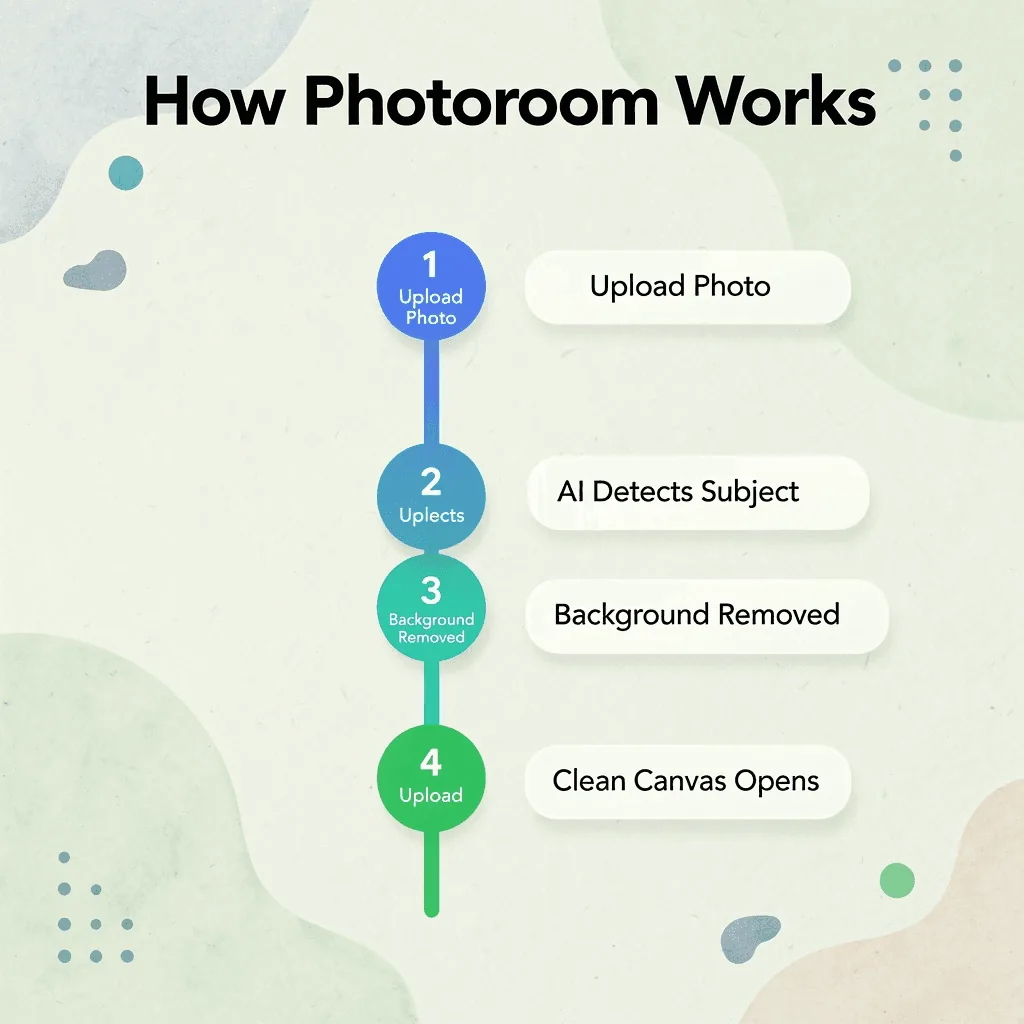
According to Fueler.io's PhotoRoom usage and growth statistics, PhotoRoom processes over 5 billion images per year using AI, a production-scale volume serving sellers who need images quickly without waiting for studio turnaround.
"Photoroom processes over 5 billion images per year using AI." — Fueler.io, PhotoRoom Usage & Growth Statistics
🎯 Key Point: The 5 billion image figure signals that Photoroom is built for speed and scale, making it a tool for high-volume sellers, not casual users.
What does the editing workflow actually look like?
A user uploads a product photo; the AI isolates the subject in seconds, then branches into options: swap in a plain white background for Amazon compliance, drop in an AI-generated lifestyle scene, or pull from a template library built for ecommerce formats like Instagram ads, Shopify banners, or marketplace listings. For a solo seller managing dozens of SKUs, that speed transforms the economics of content production.
When does the patchwork approach start to break down?
Most ecommerce brands start with Photoroom to solve an immediate problem: messy backgrounds or product images that don't match across channels. The familiar approach combines a background remover, a Canva template, and a freelance retoucher. That works for ten items. At two hundred SKUs, the patchwork reveals weak spots: inconsistent lighting, mismatched shadows, and production backlogs that worsen with each new launch. Platforms like Caspa address this differently, generating product photography from scratch with AI human and animal models, producing infographics and A+ content, and handling the full visual workflow in one place rather than stitching tools together after the fact.
Where Photoroom fits in a broader content strategy
Photoroom is a strong editing tool with over 300 million users on the App Store. However, editing an existing photo and generating conversion-ready product content are two different problems: one improves a real image, while the other builds the entire visual story around a product from scratch. For brands evaluating Photoroom, the right question isn't whether it works—it does. The better question is whether editing alone covers the full scope of what modern ecommerce content demands, especially once you see what the platform costs at scale.
Related Reading
- Ecommerce Product Photography
- Ai Tools for E-commerce
- Printify Alternatives
- Photoroom Pricing
- Ecommerce Product Photography Services
- E-commerce AI Tools
- Printful Alternatives
- Best Ai Tools for E-commerce
- How To Sell On Shopify
- Redbubble Alternatives
- Ecommerce Product Videos
- Automated Product Photography
How Much Does Photoroom Cost?
Photoroom offers a free tier with 250 monthly exports, a Pro plan for individual sellers, and team options for high-volume operations. According to the Photoroom Help Center, the Pro plan costs $9.99/month on annual billing or $12.99/month on monthly billing. The Photoroom Pricing Page shows team-based plans with per-seat pricing that scales with usage.
"The Pro plan is available for as low as $9.99/month on annual billing — making it one of the more affordable AI photo editing tools for individual sellers." — Photoroom Help Center
| Plan | Price | Best For |
|---|---|---|
| Free Tier | $0/month | Casual users (up to 250 exports/month) |
| Pro Plan | $9.99/month (annual) | Individual sellers |
| Pro Plan | $12.99/month (monthly) | Flexible individual use |
| Team Plans | Per-seat pricing | High-volume operations |
💡 Tip: Choosing annual billing over monthly saves you roughly $36/year — a significant difference for budget-conscious sellers.
🔑 Takeaway: With a free tier available and Pro plans starting at just $9.99/month, Photoroom offers flexible pricing that works for everything from casual use to enterprise-level, high-volume operations.

What do you actually get at each price point?
The free plan works for testing, but the 250-export limit and low-resolution outputs push you toward Pro. Pro unlocks batch editing, AI-generated backgrounds, high-res exports, and more image-generation credits: features essential for ecommerce sellers producing consistent, platform-ready images across Amazon listings, Shopify storefronts, and social ads.
Does the subscription price cover everything you need?
The subscription price doesn't cover the full cost of using the service. Photoroom edits images but doesn't take them, so you still need source photography: a studio booking, a freelance photographer, or a stock license in addition to your monthly plan.
What does a typical ecommerce editing workflow actually cost?
Most ecommerce sellers cobble together workflows using multiple tools: a photographer for raw shots, Photoroom for backgrounds and cleanup, Canva or Photoshop for infographics, and a copywriter for A+ content. Each tool requires its own subscription and introduces delays when transferring work between platforms. As catalogs grow, the stack becomes expensive and slow. Platforms like Caspa streamline this by generating product photography, placing AI models, building infographics, and producing A+ content in a single workflow, reducing both cost and production time.
Is the price competitive compared to alternatives?
Compared to traditional photography, Photoroom's subscription is inexpensive. A single professional product shoot with a photographer and studio time costs anywhere from hundreds to thousands of dollars before editing. At under $10 per month, Photoroom's Pro plan is affordable for solo sellers and small brands. The real cost question isn't whether the subscription is affordable, but whether an editing-only tool can cover all the content a modern ecommerce brand needs to compete. The harder measure is the value of what the platform produces compared to what your product pages, ad campaigns, and marketplace listings require.
Is Photoroom Worth the Cost?
For most sellers working with tight budgets, Photoroom is worth the cost. The platform makes editing easier, removes backgrounds with impressive accuracy, and helps small online stores create better product images without paying a designer or learning Photoshop.
"Photoroom gives budget-conscious sellers a professional-grade editing solution without the overhead of hiring a designer or investing in complex software." — Photoroom User Review
💡 Tip: If you're a small seller or solo entrepreneur, Photoroom's time savings alone can justify the subscription cost, especially if you're currently spending hours on manual edits.
🎯 Key Point: Photoroom is designed for product photography, making it one of the most efficient tools available for e-commerce sellers on a budget.

The question gets considerably harder once you need more advanced editing. Sellers with complex requirements — like multi-layer compositions, custom lighting adjustments, or high-volume batch processing — may find that Photoroom's capabilities hit a ceiling.
| Seller Type | Photoroom Value |
|---|---|
| Budget-conscious small sellers | ✅ Highly worth it |
| Solo e-commerce entrepreneurs | ✅ Strong value |
| Advanced editors needing full control | ⚠️ May feel limited |
| High-volume professional studios | ❌ May need alternatives |
⚠️ Warning: If your workflow demands professional-grade retouching or highly customized edits, you may quickly outgrow what Photoroom offers — plan accordingly before committing to a long-term subscription.
What happens when editing alone is not enough?
The pattern shows up consistently across growing ecommerce brands: a tool that solves one problem well becomes the limit rather than the starting point. Photoroom handles the editing layer with genuine skill, but ecommerce content is not an editing problem. Product pages need lifestyle context. Ad creatives need variation. Marketplace listings need infographics and A+ content that communicate value, not appearance. A background remover, however good, cannot generate any of that from scratch.
Most sellers handle this by using multiple tools: a photographer for source images, Photoroom for editing, Canva for templates, and a copywriter for listing text. According to the Photoroom Help Center, the Pro plan saves up to 20% with annual billing, but the cost pressure extends beyond the subscription itself. Brands increasingly question whether assembling five tools costs less than consolidating into one platform built for end-to-end content production. Platforms like Caspa address this directly by handling photo generation, model placement, infographics, and A+ content in a single workflow.
Where does Photoroom's value ceiling sit?
Photoroom's value ceiling is defined by what you bring into it: a great source image goes in, a polished, edited image comes out. For solo sellers or small catalogs, this may suffice. But the moment your business needs content that doesn't yet exist as a photograph, the platform reaches its functional limit.
How should you calculate the real cost of your content operation?
Looking at any tool solely by its subscription cost misses the bigger picture: how much value you get for each dollar spent across your entire content operation. A $9.99 monthly plan that still requires a photographer, a second design tool, and several hours of manual work each week carries a real total cost that the subscription price does not reflect. Fast-growing businesses do not abandon editing tools because of cost; they move on because editing alone is not the same as creating content. What happens when the goal shifts from cleaning up existing photos to generating the product content your catalog actually needs?
The Hidden Challenge Most Ecommerce Sellers Face
Tools like Photoroom appear to solve one of ecommerce's biggest visual content challenges: creating clean, professional-looking product images without the cost and complexity of traditional photography. For many sellers, they do. However, as brands grow, many discover that editing images is only part of the problem. The real challenge is creating high-quality product content at scale to support growth.
"Editing images is only a small part of the problem. The real challenge is creating enough high-quality product content to support growth."
💡 Tip: If your team spends more time managing images than creating them, you've outgrown a simple editing tool.
⚠️ Warning: Relying solely on AI background-removal tools creates a false sense of progress. Visual polish is not the same as content scale.
Why does content demand keep growing as your store scales?
Modern ecommerce brands constantly need new content: product images for launches, refreshed creative assets for existing products, and visuals for marketing campaigns, seasonal promotions, social media, email, and paid ads. What begins as a simple image-editing task quickly becomes an ongoing content production challenge. While AI editing tools can improve existing photos, many brands still need lifestyle imagery showing products in realistic environments. Traditional lifestyle photography remains expensive: organizing shoots, hiring models, securing locations, and producing multiple variations significantly increase marketing costs.
Why do brands need so many creative variations per product?
Launching a product requires multiple image versions for different channels, audiences, and campaigns. An image that works on a product page may not perform as well on Facebook, TikTok, or email. Marketers need several creative variations for each product, especially when testing different marketing angles and customer segments. As product catalogs grow, visual consistency becomes harder to maintain. Images created months apart may use different backgrounds, lighting, compositions, or branding elements. For brands with dozens or hundreds of products, maintaining a consistent visual identity becomes as important as creating individual images.
What does truly effective ecommerce product photography actually achieve?
Good ecommerce images help shoppers understand products, build trust, reduce uncertainty, and drive purchases. They support the overall product page experience alongside descriptions, reviews, and pricing. The goal is to create images that help products sell. Removing backgrounds and editing photos is straightforward. Creating product images that sell at scale is harder. As content demands increase, brands need solutions beyond image editing: high-quality product photography, lifestyle content, and consistent visuals across entire catalogs. This is where ecommerce-focused AI product photography platforms offer a significant advantage.
Related Reading
- How To Sell On Amazon
- Printful Vs Printify
- Shopify Vs Woocommerce
- Shopify Vs Bigcommerce
- Ai For Ecommerce
- Ai For Product Photos
- Ai Generated Product Images
- Ai Product Photo Generator
- Amazon Vs Shopify
- Ai Product Video Generator
- Ai Clothing Model
- Printful Review
- Shopify Vs Amazon
- Ai Model For Clothing
- Ai Product Video
- Ai Fashion Model
- Printful Pricing
- Best Amazon Seller Tools
How Caspa Helps Ecommerce Brands Create Better Product Images Faster
As ecommerce brands grow, their biggest challenge often shifts from editing product photos to producing enough high-quality visual content for product launches, marketing campaigns, and expanding catalogs. The demand for fresh, consistent visuals scales faster than most teams can handle, making content production speed a critical competitive advantage.
"The bottleneck for growing ecommerce brands is rarely quality — it's volume. Producing enough marketing-ready visuals to support every launch, campaign, and catalog expansion is where most teams hit a wall." — Ecommerce Visual Content Insight
🎯 Key Point: As your product catalog expands, the need for scalable visual content grows exponentially, and traditional photoshoots cannot keep up.
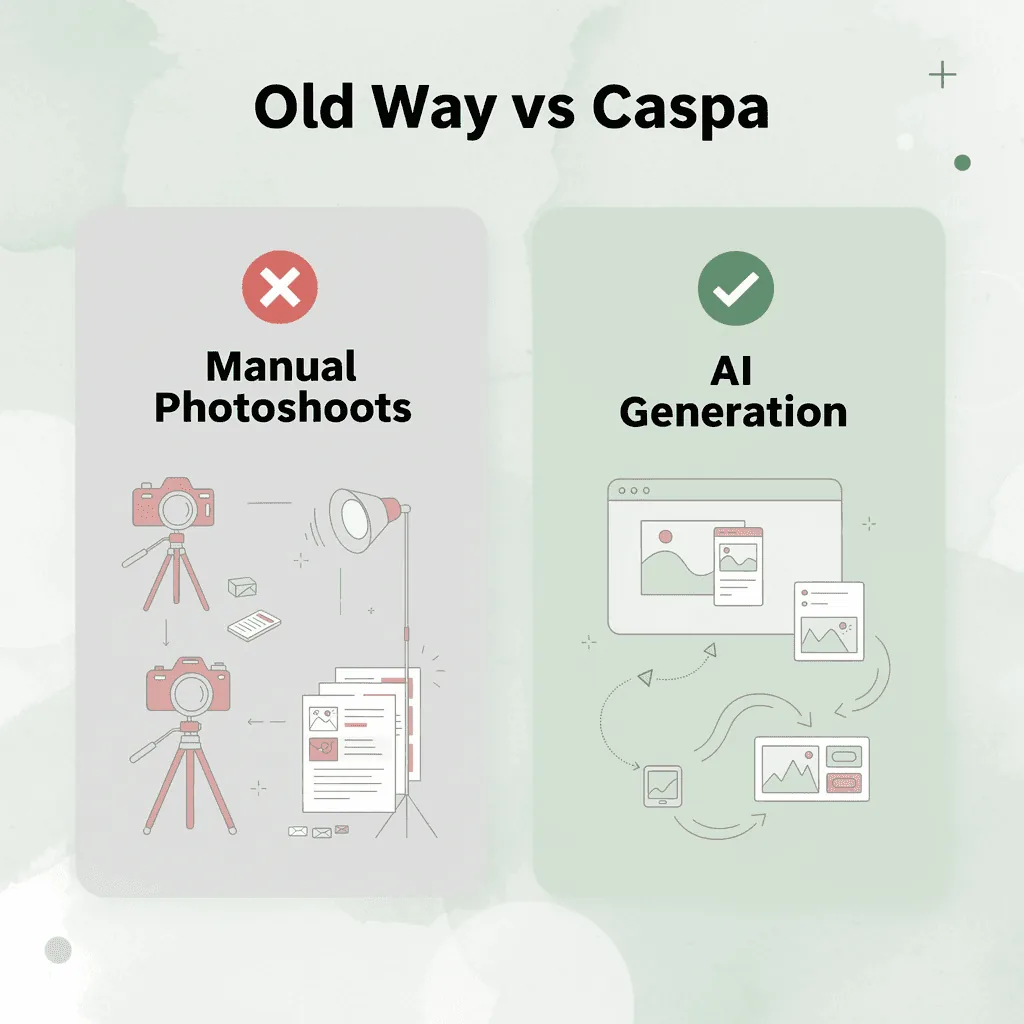
Caspa helps by generating professional product visuals at scale using AI. Rather than organizing expensive photoshoots or spending hours manually editing images, our platform lets businesses create marketing-ready content much faster while maintaining consistent brand presentation across every channel.
| Traditional Approach | Caspa AI Approach |
|---|---|
| Expensive photoshoots per product | AI-generated visuals at scale |
| Hours of manual editing | Faster automated production |
| Inconsistent brand presentation | Consistent brand visuals |
| Limited by team bandwidth | Scales with your catalog |
💡 Tip: Use Caspa to eliminate the bottleneck between your product catalog growth and your visual content output — so every launch is supported with professional-grade imagery from day one.
✅ Best Practice: Brands that adopt AI-powered image generation maintain consistent visual quality across all marketing touchpoints without inflating their production budget.
How does Caspa make product photography faster and more flexible?
Caspa's AI-generated product photography and lifestyle imagery let brands place products in realistic environments and showcase different use cases without the logistical challenges and costs of traditional photography, providing the type of content shoppers expect to see before purchasing. Growing ecommerce businesses struggle to maintain visual consistency across expanding product lines. Caspa's AI-generated workflows create cohesive visuals that strengthen brand identity and improve the shopping experience.
How does Caspa support faster content creation for campaigns and launches?
Ecommerce brands need content for product launches, seasonal campaigns, social media, email marketing, and paid advertising. Traditional photography workflows slow these projects down. Our Caspa platform helps teams create images faster and test creative ideas more efficiently.
How does Caspa reduce photography costs and improve ecommerce performance?
The platform reduces photography costs by eliminating the need for repeated studio rentals, photographer fees, model payments, and post-production work. Brands can generate visuals through AI workflows, with savings that compound for businesses managing large catalogs. Caspa focuses on creating imagery that supports ecommerce performance. Product visuals help shoppers understand products, build trust, and make purchasing decisions. By enabling brands to create professional, high-quality product content at scale, our platform improves the visual experiences that influence conversions.
Get Product Photos that Increase Your Sales Today
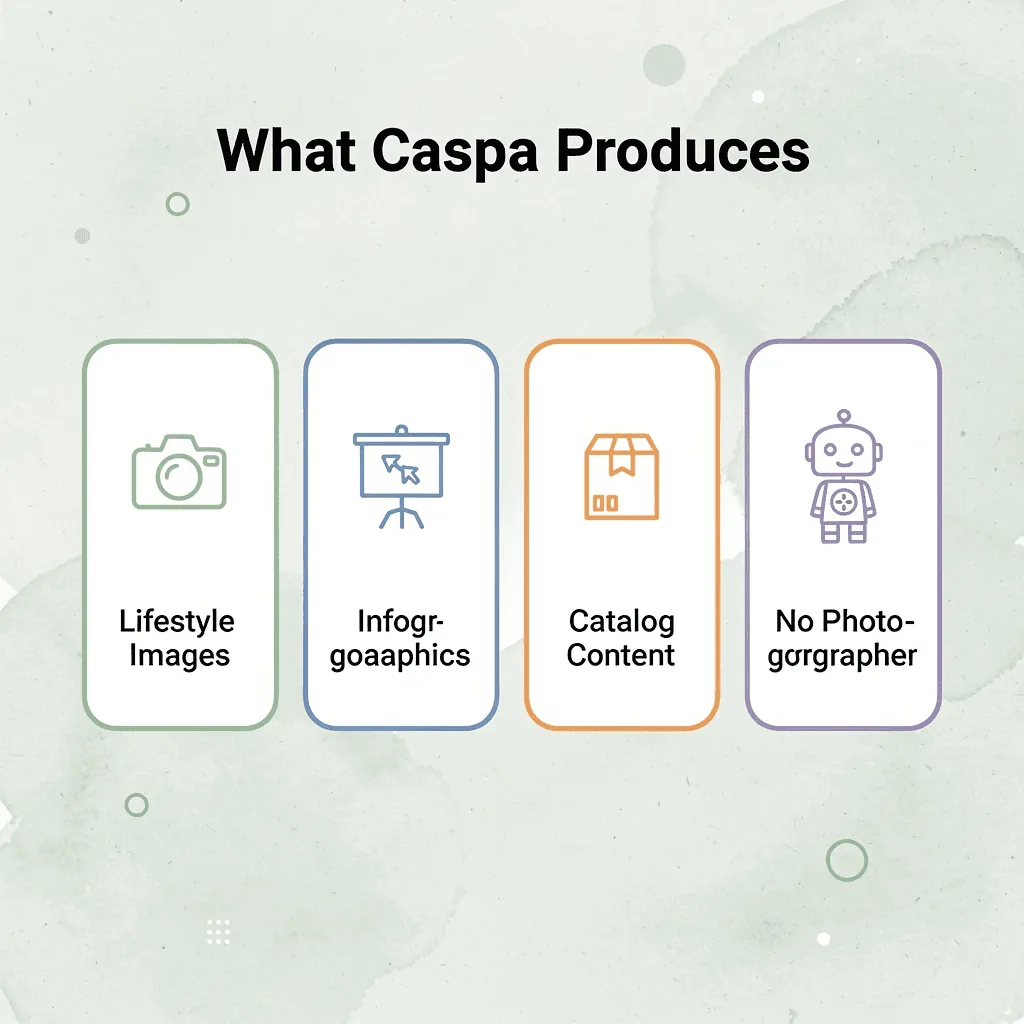
Platforms like product photography are fundamentally changing how you create content. Instead of endlessly editing photos, you can generate catalog content directly without a photographer. Our product photography tool produces lifestyle images, infographics, A+ content, and product visuals without a separate editing subscription, dedicated photographer, or weekly manual coordination.
💡 Tip: If you're juggling multiple platforms to publish one product listing, you're spending more than necessary in both time and money.
"Generate lifestyle images, infographics, A+ content, and product visuals — all from a single tool, without a photographer or editing subscription." — Caspa AI
The real way to measure content creation cost is to look at what you produce for every dollar you spend. If your current workflow requires three different platforms and a freelancer just to publish one product listing, you're leaving efficiency on the table. Caspa offers a faster, leaner path to the same result — without the overhead.
⚠️ Warning: A workflow that requires multiple tools + a freelancer for a single listing is silently draining your budget every week.
✅ Best Practice: Evaluate your content stack by cost-per-published-listing, not just monthly subscription fees.
| Traditional Workflow | Caspa AI Workflow |
|---|---|
| Photographer booking | AI-generated visuals |
| Separate editing subscription | Built-in editing tools |
| Freelancer coordination | Automated content output |
| 3+ platforms to manage | Single platform solution |
| High cost-per-listing | Lower cost-per-listing |
Related Reading
- Amazon Merch On Demand
- Teespring Alternatives
- Ai Clothing Model Generator
- Placeit Alternative
- Teespring Vs Printful
- Ai Fashion Model Generator
- Redbubble Vs Printful
- Merch On Demand
- Luxury Product Photography
- Printful Vs Gelato
- Printify Vs Gelato
- Amazon Ai Tools
- Ai Clothing Mockup Generator
- Ecommerce Product Video
- Flat Lay Product Photography
- T-shirt Mockup Ai
- Ai Product Video Maker
- Ai Product Photo Editor
- Advertising Product Photography
- Placeit Pricing
- Best Background For Product Photography