
This guide shows you how to take product photos for an online store, step by step: what to shoot, the gear you need (a phone is enough to start), how to set up a backdrop and light, which camera settings to use, and how to edit and export the files for Shopify, Amazon, Etsy or your own site. It is written for sellers who shoot their own products at a desk or in a spare room.
In this guide
- Why product photos matter
- Step 1: Plan the shot list
- Step 2: Pick your gear for any budget
- Step 3: Set up a seamless backdrop
- Step 4: Light the product
- Step 5: Set up the camera or phone
- Step 6: Shoot every angle
- Step 7: Style lifestyle, scale and detail shots
- Step 8: Keep your catalog consistent
- Step 9: Edit for accurate color
- Step 10: Export, size and name your files
- Put the photos to work on the product page
- Shoot it yourself, hire a studio or use AI?
- Frequently asked questions
Why Product Photos Matter
Online, the photos do the job of the shelf. A shopper can't pick the product up, turn it over or feel the material, so the images have to answer those questions before anyone reads the description.
- They set expectations. A sweater that looks navy on screen and arrives black becomes a return. Accurate color, true scale and honest close-ups prevent that.
- They show a careful seller. A sharp, well-lit, consistent set says someone takes care of this store. Dark, blurry photos make people doubt the product as well.
- They set you apart. When three stores use the same supplier photo, price is the only difference left. Your own photos give buyers another reason to choose you.
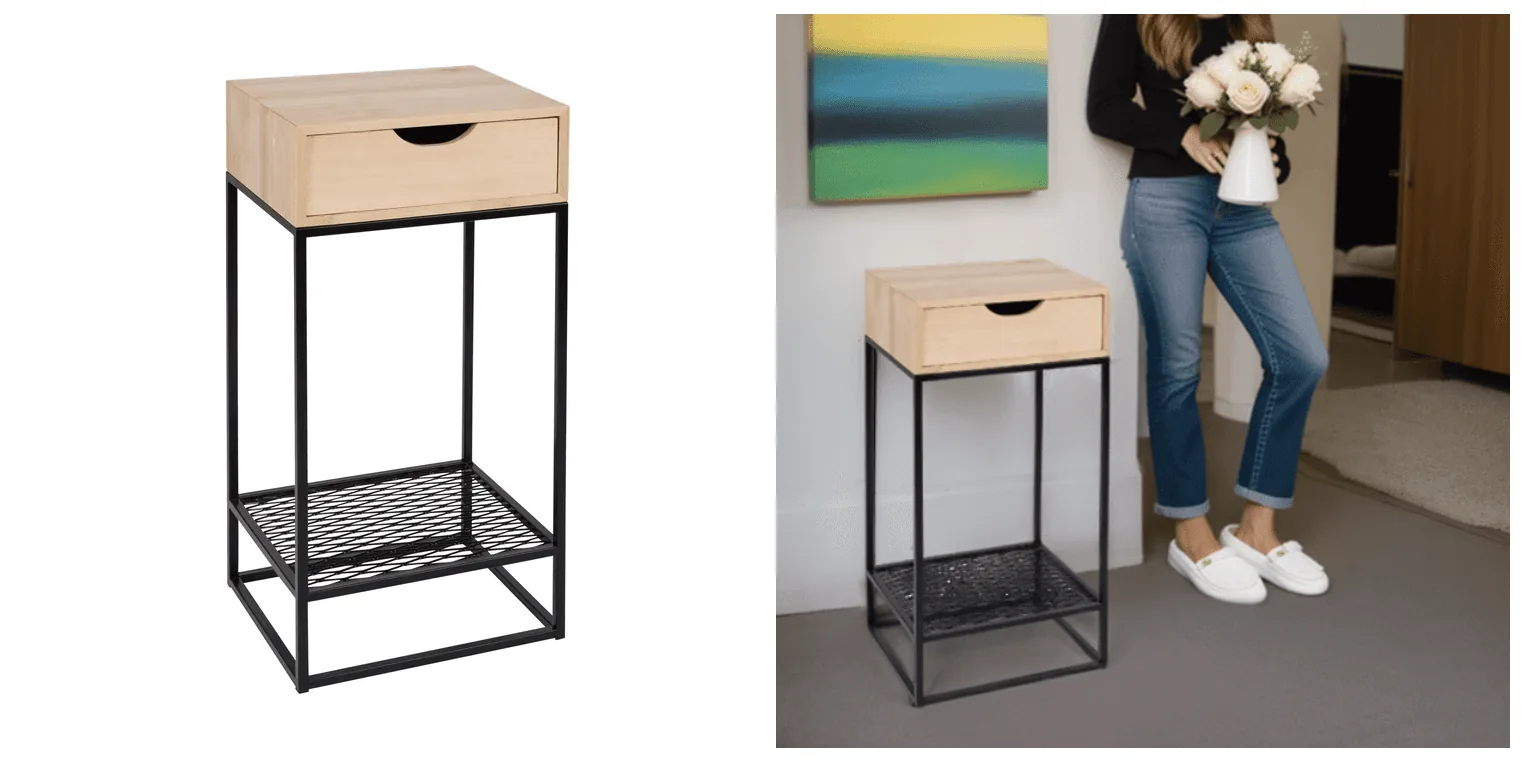
The white-background shot answers "what is it?" The room shot answers "how big is it, and will it suit my home?" A good listing needs both.
Step 1: Plan the Shot List
Decide what each photo has to prove before you set anything up. If the listing says "full-grain leather", you need a close-up of the grain and stitching. If it says "fits a 15-inch laptop", show the laptop going in. Write one shot list per product type and reuse it.
| Shot | Question it answers | How to shoot it |
|---|---|---|
| Main image | What exactly am I buying? | Product alone, front or three-quarter view, plain light background, filling most of the frame |
| Angles | What do the back, sides and base look like? | Same setup, rotate the product |
| Detail | Is it well made? | Stitching, texture, hardware, labels, ports |
| Scale | How big is it? | In a hand, next to a phone or mug, or on a model |
| In use | How does it fit my life? | The product doing its job in a believable setting |
| Variants | Is the blue one really that blue? | Every color, finish and size you sell, shot the same way |
| What's in the box | What will arrive? | Packaging, accessories and contents laid out together |
For a plant pot, that could mean the pot alone, a group of every color, a hand potting a plant in it and a close-up of the removable drainage tray. Marketplaces set their own rules for the main image, so check yours before you shoot (see our marketplace image requirements). Shoot the main image and the most important detail first, while the setup is fresh. For more shot styles, see types of product photography.
Step 2: Pick Your Gear for Any Budget
You can take good product photos with a phone, a window and two sheets of white board. Better gear buys you control and speed; it does not fix bad light.
The Minimum Kit
- A recent smartphone, or any camera that lets you set focus and exposure
- A window with indirect daylight
- Two white foam boards or poster boards: one as the backdrop, one to bounce light
- A tripod or phone mount (a stack of books works for a first try)
- Tape or clamps, plus putty or glue dots to hold small items in place
- A microfiber cloth and a lint roller to clean the product
When You Are Ready to Upgrade
- Camera: a mirrorless or DSLR body with manual controls and RAW files. See the best cameras for product photography.
- Lens: a 50mm prime for most products, a macro lens (around 90 to 105mm) for jewelry and small details, or a 24-70mm zoom if your products vary a lot in size. Compare them in our product photography lens guide.
- Lights: one or two continuous LED lights with softboxes, so you get the same result at any hour.
- Light control: a reflector kit (white, silver and black) and a light tent for small, shiny items.
- Remote shutter or the camera's 2-second timer, so pressing the button doesn't shake the shot.
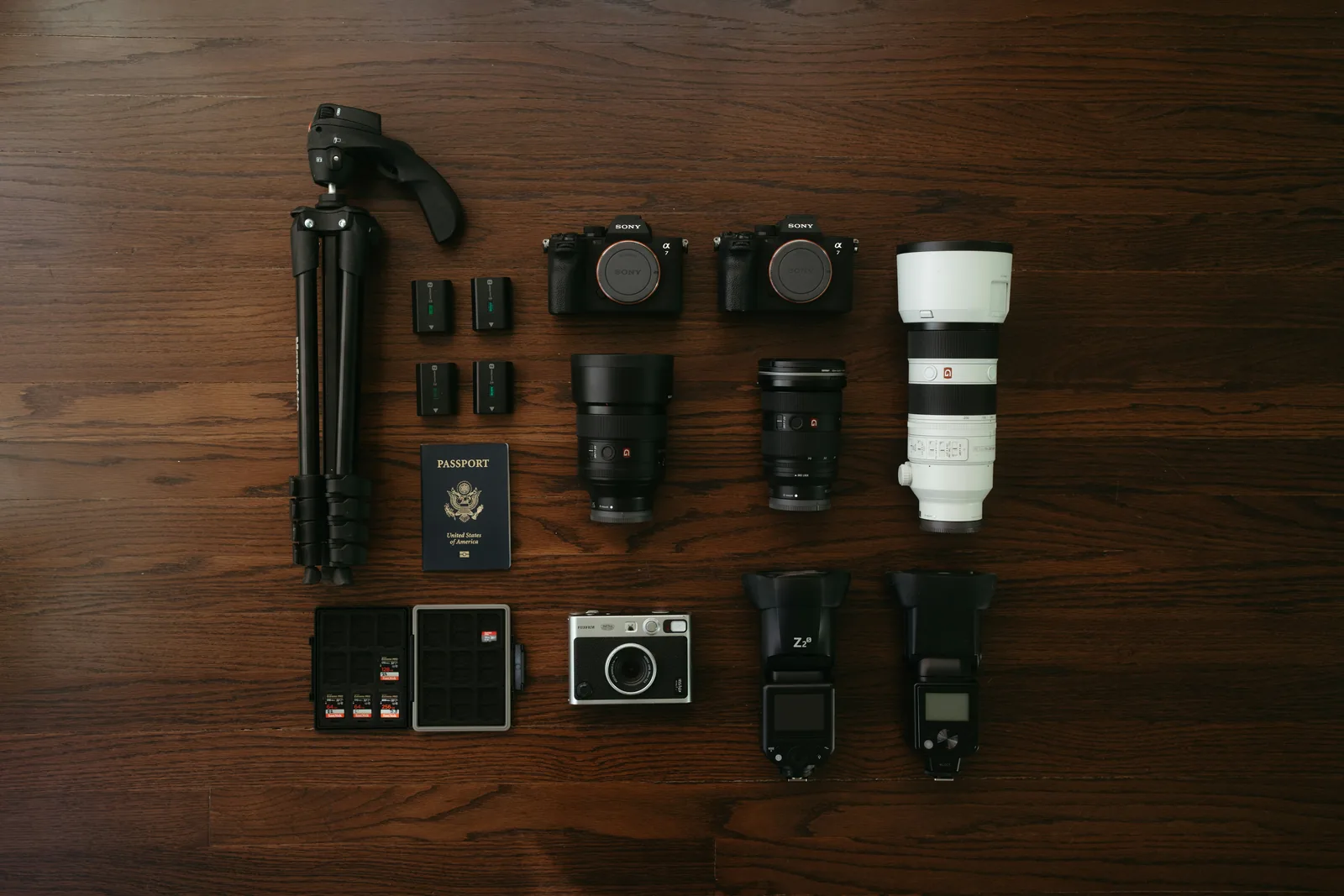
For a fuller kit list, see product photography tools and our DIY product photography setup guide.
Step 3: Set Up a Seamless Backdrop
For main images, use a sheet that curves from the wall down onto the table, so there is no horizon line behind the product.
- Push a sturdy table (a folding one is fine) against a wall.
- Tape white poster board or paper to the wall and let it curve down onto the table. Don't fold it: the curve is what hides the corner.
- Tape the bottom edge down so the sheet stays taut and wrinkle-free. Painter's tape or gaffer tape comes off without marking furniture.
- Place the product on the flat part, a little forward of the bend.
Use pure white rather than cream: off-white is harder to clean up to white in editing. For very small items, push a chair against a wall, tape paper above it and drape it over the seat. For furniture and other large items, hang a paper roll on two stands, or tape wide craft paper to the wall and floor, and cut off the used section when it gets dirty. Small, shiny products like jewelry are easier in a light tent (see light box photography for jewelry). For lifestyle images, swap the sweep for a surface that suits the brand: rough wood for handmade goods, marble for beauty, linen for home textiles.
Step 4: Light the Product
Light matters more than the camera. For most products you want soft light from one main direction, plus a bounce to fill the shadows.
Window Light
- Set the table beside a large window so the light reaches the product from the side.
- Avoid direct sun. If it shines in, tape tracing paper or a white shower curtain over the window. Overcast days give soft light on their own.
- Turn off ceiling lights and lamps. Daylight mixed with warm bulbs leaves two color casts that no single white balance setting can fix.
- Stand a white board on the side away from the window to bounce light into the shadows. Use a black board instead when you want deeper shadows and more shape.
- Shoot at the same time of day each session, because window light changes color and strength through the day.
Studio Lights
- Place the main light at about 45 degrees to the product, slightly above it, through a softbox or diffuser.
- Fill the other side with a reflector or a second light at lower power.
- For a pure white background, aim a separate light at the backdrop and keep the product far enough forward that its shadow doesn't fall on the paper.
- The bigger and closer the light, the softer the shadows. Move it back for crisper shadows.
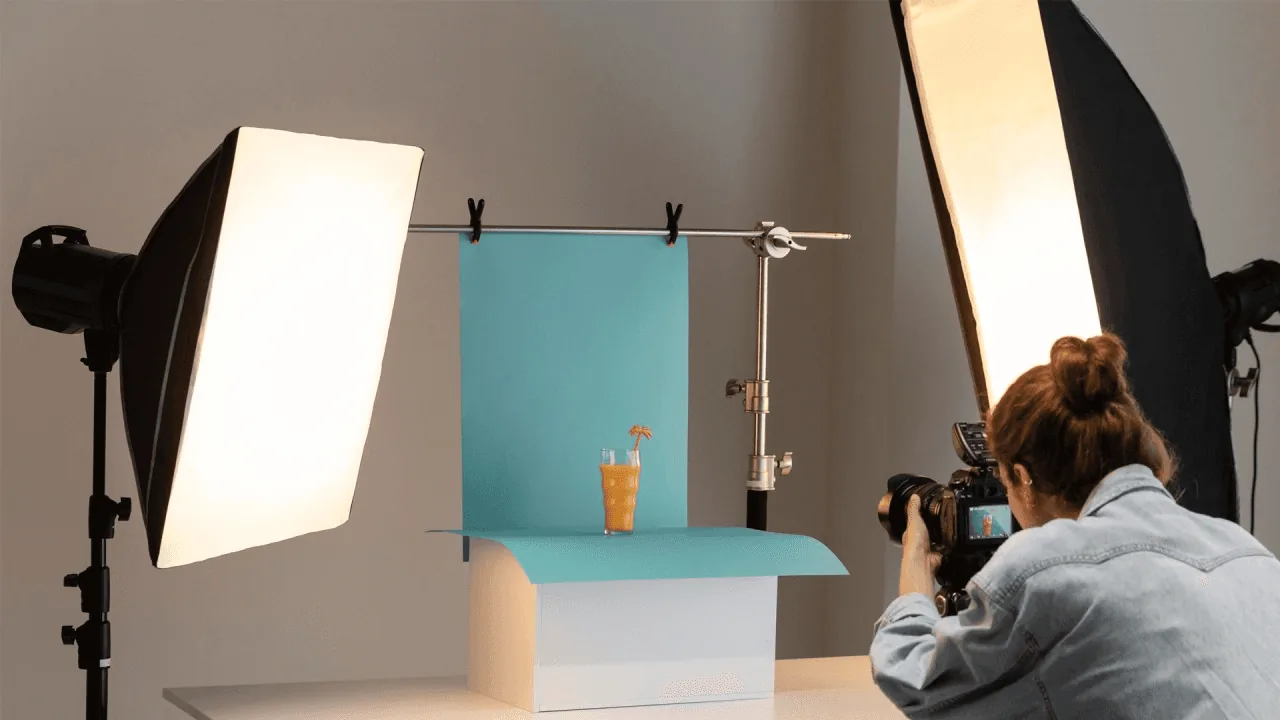
Glass, metal and gloss reflect whatever surrounds them, you included. Use large, diffused lights, place white or black cards where you want a clean highlight or a dark edge, and keep the built-in flash off. A circular polarizing filter cuts glare from glass and glossy plastic (it does little on bare metal). For kit recommendations, see the best light for product photography.
Step 5: Set Up the Camera or Phone
Put the camera on a tripod and start from these settings:
| Setting | Start here | Why |
|---|---|---|
| Mode | Manual, or Aperture Priority (A or Av) | Consistent exposure and your choice of depth of field |
| Aperture | f/8 to f/11 for main images; f/2.8 to f/4 for lifestyle shots | The whole product stays sharp; a wide aperture blurs a busy background |
| ISO | 100 to 200 | Less noise; on a tripod, lengthen the shutter speed instead of raising ISO |
| Shutter speed | Whatever gives a correct exposure | Slow speeds are fine on a tripod; handheld, stay at 1/125 s or faster |
| White balance | A preset that matches your light, or a custom reading from a grey card | Auto white balance can shift between shots, so colors drift across a set |
| Focus | Single point on the key detail; manual focus for close-ups | Stops the camera focusing on the front edge or the background |
| File format | RAW, or the highest-quality JPEG | More room to correct exposure and color later |
| Flash and release | Built-in flash off; 2-second timer or remote | No harsh glare, no shake from pressing the button |
Shooting With a Phone
- Use the main (1x) camera or the telephoto lens, not digital zoom. A wide lens close up stretches the nearest part of the product, so step back and use 2x or 3x if your phone has it.
- Tap the product to focus, then press and hold to lock focus and exposure (iPhone shows AE/AF LOCK; most Android camera apps have a similar lock). Slide exposure down a little if bright parts of the product lose detail.
- Turn off the flash, wipe the lens and use a phone tripod or mount.
- Shoot RAW if your phone offers it, usually in a Pro or manual mode on Android, or ProRAW on iPhone Pro models.
For small items shot on a phone, see how to take pictures of jewelry with a phone.
Step 6: Shoot Every Angle
- Lock the camera, move the product. Keep the tripod still and rotate the product between shots. Mark its position with small pieces of tape so every item in a collection sits in the same spot.
- Test the framing with a stand-in of similar size, such as a mug or a book, so you aren't adjusting the tripod with the real product in place.
- Cover the standard angles: front at eye level, three-quarter (about 45 degrees, which shows depth), side, back, top-down for flat items, and the underside if buyers care about it.
- Fill most of the frame, but leave a margin. A little space around the product lets you crop the same file to square, vertical and wide formats, or add text later.
- Use burst mode for motion: a pour, a splash, a dress swinging.
- Check before you move on. Zoom to 100% on the camera screen, or tether the camera to a laptop, to confirm the key detail is sharp, and compare the color on screen with the product in your hand.
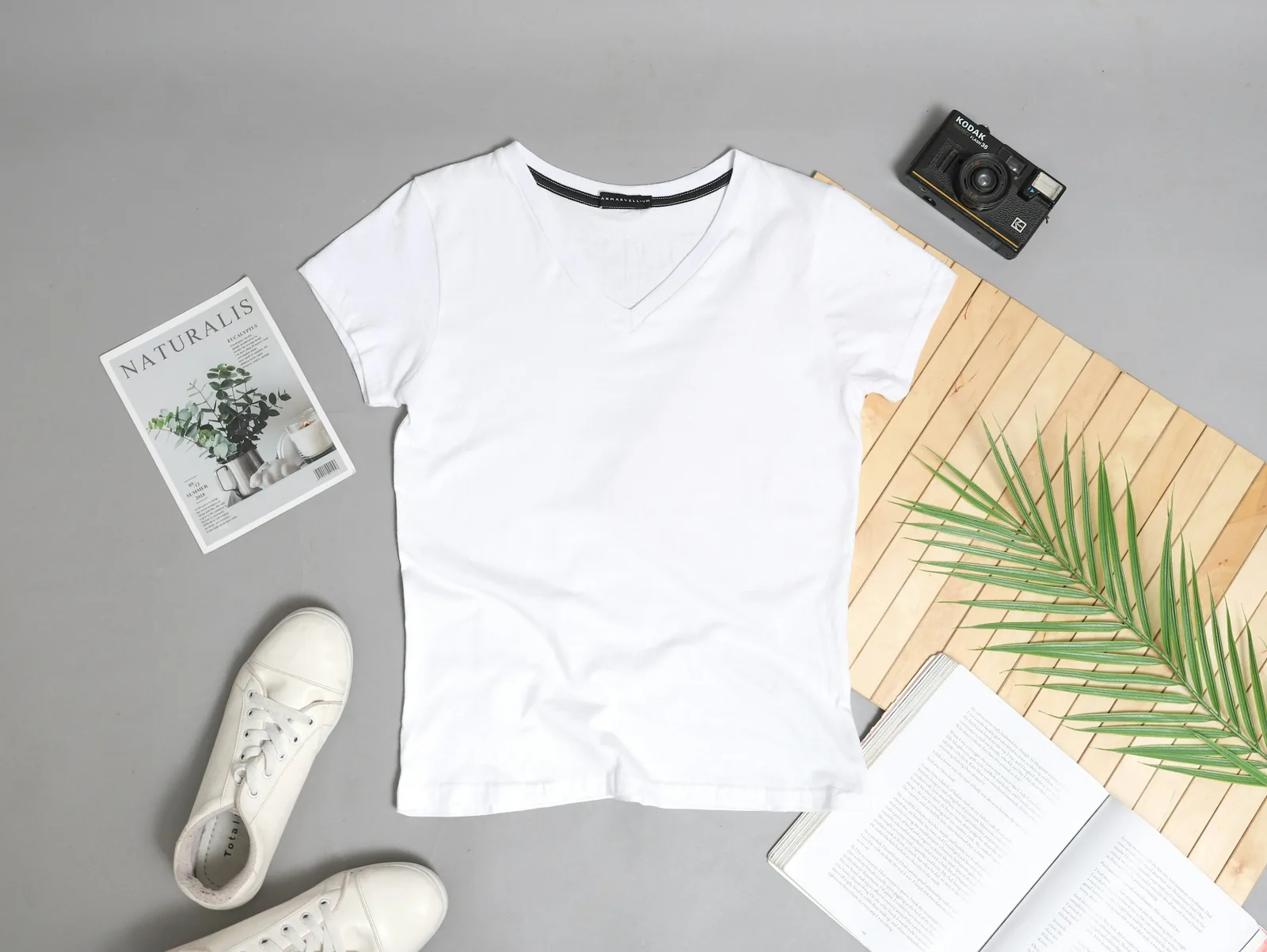
A top-down flat lay works well for clothing, stationery and sets: see flat lay clothing photography for layouts.
Step 7: Style Lifestyle, Scale and Detail Shots
Lifestyle and In-Use Shots
Pick the one scene your buyer actually pictures. A kitchen knife on white shows what it looks like; the same knife halfway through a ripe tomato shows what owning it is like. Keep it believable, because a scene that looks staged works against you. Center the product in main images; in lifestyle shots, placing it off-center on a rule-of-thirds line usually looks more natural. For ideas, see what lifestyle product photography is and these product photography examples.
Props
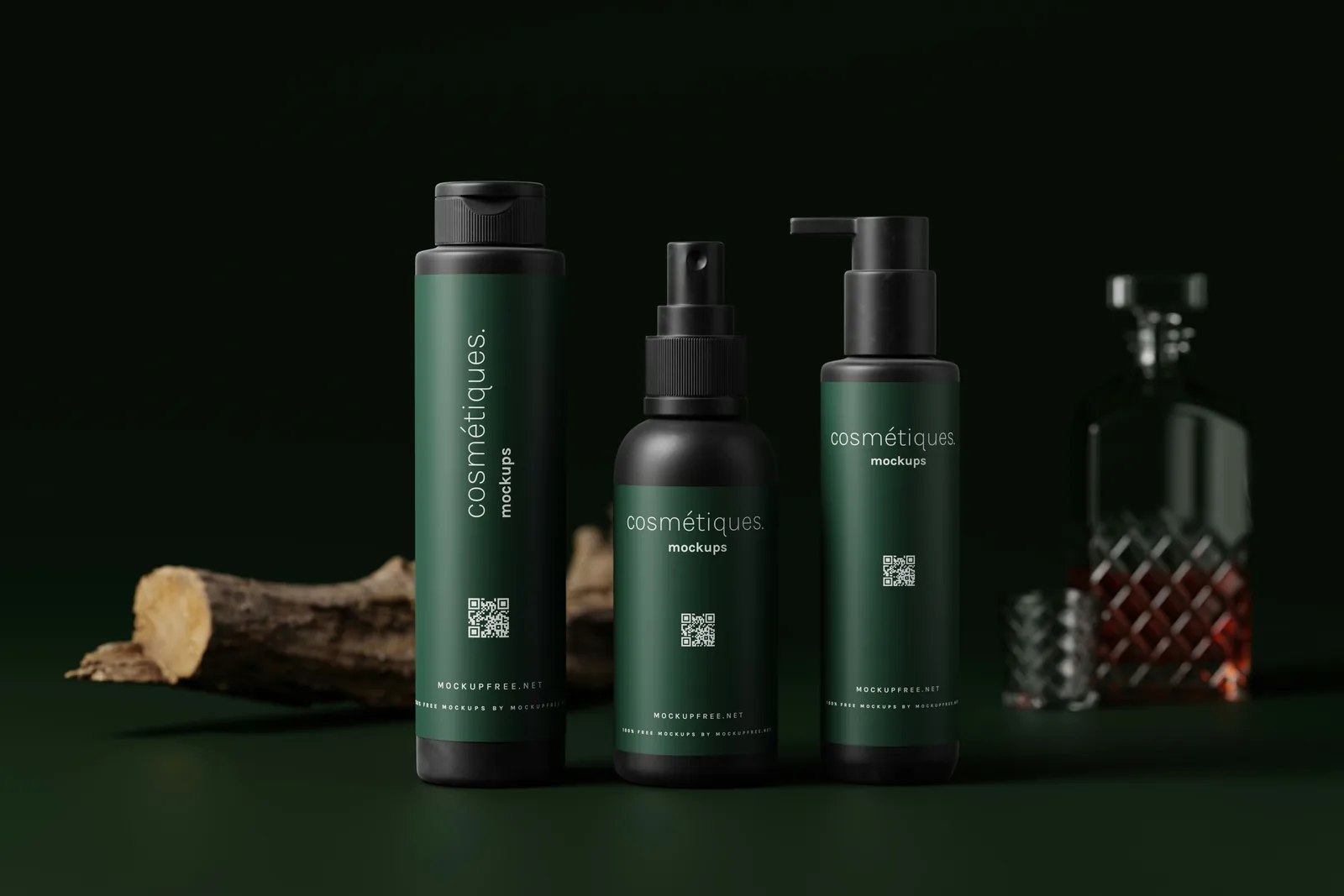
- Props support the story and never compete with the product: coffee beans and a book beside a mug, lavender beside a lavender candle, the key ingredient next to a skincare bottle.
- Make it obvious what is included. If a prop could be mistaken for part of the sale, such as a case next to a guitar that ships without one, leave it out or say so in the listing.
- Choose props in your brand colors or neutrals, group them in odd numbers and vary their heights.
Scale, Detail and Process Shots
- Scale: show the product in a hand, next to an everyday object (a pen, a phone, a mug) or on a model. For bags, show what fits inside.
- Detail: get close to the stitching, grain, hardware or engraving. Focus manually on that detail and use a macro lens or your phone's macro mode.
- Process: for handmade products, a work-in-progress shot shows the craft behind the price.
Building a set for every product takes time. Once you have a clean product photo, you can also generate lifestyle scenes from it with Caspa.
Step 8: Keep Your Catalog Consistent
A store where every product is shot differently looks pieced together, even when each photo is fine on its own. Consistency comes from writing your setup down and repeating it. A one-page photo style guide should cover:
- Backdrop color and material, and how far the product sits from it
- Light positions and power, with a phone photo of the setup
- Camera height, angle, lens or zoom setting and distance
- Camera settings, including a fixed white balance
- The shot list for each product type, the crop ratio and the margin around the product
- File naming and the editing preset you apply
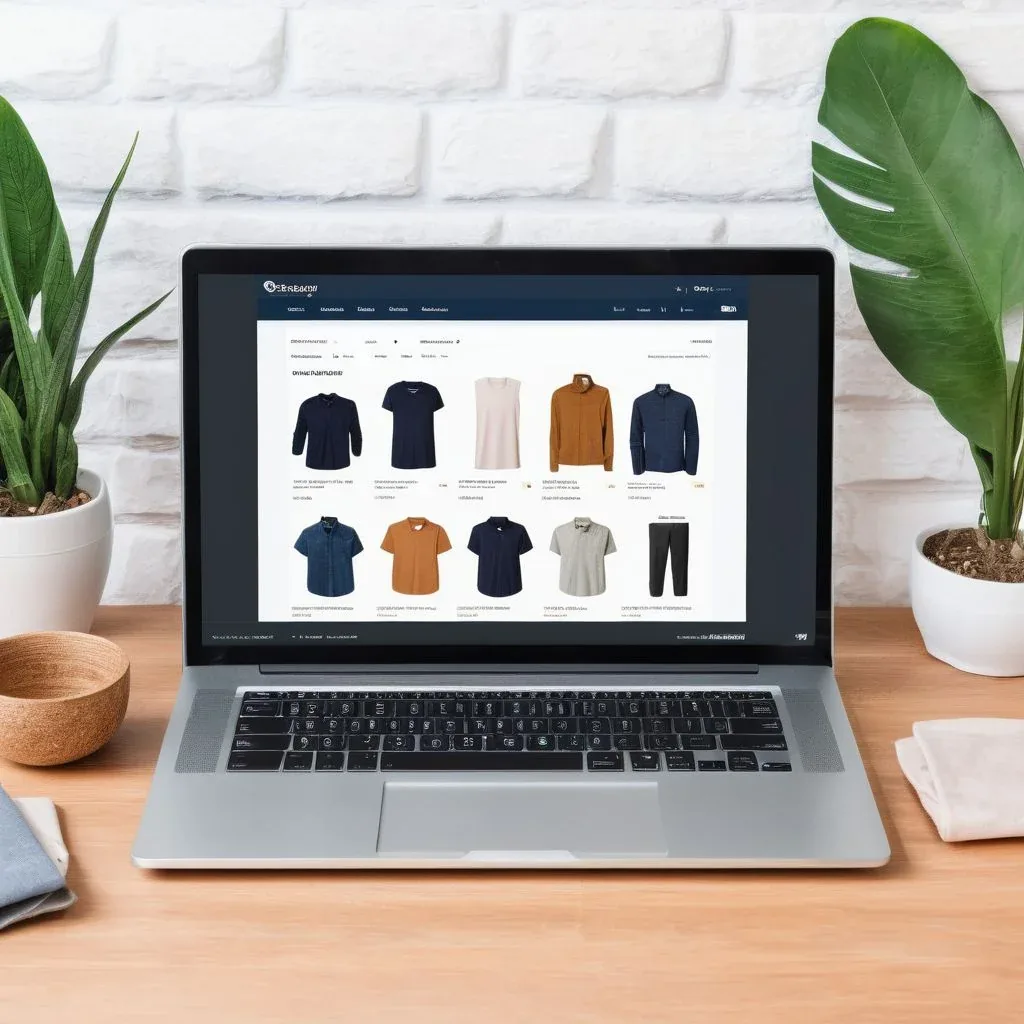
Shoot every new product with the same guide. When an old listing no longer matches, reshoot or re-edit it, so a photo from years ago doesn't sit next to last month's.
Step 9: Edit for Accurate Color
Edit so the photo matches the product, not so the product looks better than it is. Work in this order:
- Crop and straighten to your standard ratio, with the same margin on every image.
- Set white balance by clicking a neutral white or grey area with the eyedropper.
- Adjust exposure and contrast until the background is clean without losing detail in the light parts of the product.
- Clean up dust, fingerprints, lint, backdrop wrinkles and stray reflections with a spot-healing or clone tool.
- Finish the background: clean it to pure white for main images, or remove it if you need a transparent file. A soft natural shadow keeps the product from looking like it floats, where your marketplace allows it.
- Sharpen lightly for the size you will display.
Then hold the product next to the screen in daylight. If the colors don't match, fix them before you publish. Save your adjustments as a preset and apply it to the whole batch. For tools and techniques, see how to edit product photos.
Step 10: Export, Size and Name Your Files
- Keep a full-resolution master of every final image and export versions from it: square for most marketplace grids, vertical for social feeds, wide for banners.
- Check sizes per channel. Each marketplace publishes its own minimums and they change, so check the current numbers for Amazon, Etsy, Shopify, eBay, Walmart and TikTok Shop, and see the best size for ecommerce product images.
- Pick the format: JPEG for photos, PNG when you need a transparent background, WebP on your own site if your platform supports it.
- Compress so product pages load fast on phones, then check the file at 100% for visible artifacts.
- Name files the way a shopper would describe the product, for example oak-side-table-black-frame-front.jpg instead of IMG_4021.jpg.
- Write alt text on your own store: one plain sentence describing what the image shows, for shoppers using screen readers and for image search.
Put the Photos to Work on the Product Page
- Order the gallery the way a shopper inspects a product in a store: main image, other angles, details, scale, the product in use, then what's in the box.
- Test the thumbnail. View your main image at thumbnail size on a phone, next to competing listings. A simple shape with strong contrast reads best when small.
- Test one change at a time. Swap the main image or the order and compare clicks and add-to-cart rates, as you would with a price test.
- Refresh scenes, keep product shots. Seasonal lifestyle images go stale; clean angle and detail shots last for years.
For layouts that use photos well, see these product listing page examples. If a still photo can't show how something works, such as a clasp, a fold or a pour, add a short clip: see product video ideas.
Shoot It Yourself, Hire a Studio or Use AI?
- Shoot it yourself when you have a manageable number of products and some time. The steps above are enough for clean main images and simple lifestyle shots.
- Hire a photographer for hard subjects (glass, liquids, fast motion), complex sets or a campaign with models. See typical costs in our product photography pricing guide and compare ecommerce product photography services.
- Use AI for lifestyle scenes, on-model images and variations once you have a clean product photo. It pays off most for large catalogs and for testing many backgrounds. Read how to use AI for product photography and AI vs traditional product photography to decide.
Frequently Asked Questions
How do I take professional product photos at home?
Set a table beside a large window, tape white poster board to the wall so it curves onto the table, and bounce light into the shadows with a second white board. Put the camera or phone on a tripod, turn off the flash and room lights, set a fixed white balance and, on a camera, shoot at f/8 to f/11. Shoot every angle, then edit for accurate color.
Can I take product photos with my phone?
Yes. A recent phone is good enough for marketplace listings if the light is soft and the phone is steady. Use the main or telephoto lens rather than the wide lens or digital zoom, lock focus and exposure on the product, turn off the flash, mount the phone on a tripod and shoot RAW if your phone supports it.
What is the best background for product photos?
For main images, a seamless white or light neutral background keeps attention on the product and matches what most marketplaces expect for the first image, though you should check your platform's current rules. For lifestyle images, use a surface and setting that suit the product and your brand, such as wood, marble, linen or a real room.
How many photos should a product listing have?
Enough to answer every question a shopper would ask in a store. A solid set is a main image, two or three other angles, a detail close-up, a scale shot, an in-use or lifestyle shot, and one photo per color or variant. Marketplaces set their own maximum number of images, so check the current limit for yours.
What camera settings are best for product photography?
Start in Manual or Aperture Priority with the camera on a tripod: f/8 to f/11 so the whole product is sharp, ISO 100 to 200 for low noise, whatever shutter speed gives a correct exposure, and a fixed white balance that matches your light. Shoot RAW, focus on the most important detail and use a 2-second timer or remote.
Shoot One Clean Photo, Then Generate the Rest
The steps above get you a sharp, accurate product photo. Turning it into lifestyle, on-model and flat lay images is the slow part: building sets, booking models, reshooting for every season. With Caspa you upload that one photo; Caspa keeps the product unchanged and generates studio, lifestyle, flat lay and on-model scenes around it, plus product videos on the Growth and Scale plans, ready for your listing, ads and social posts.
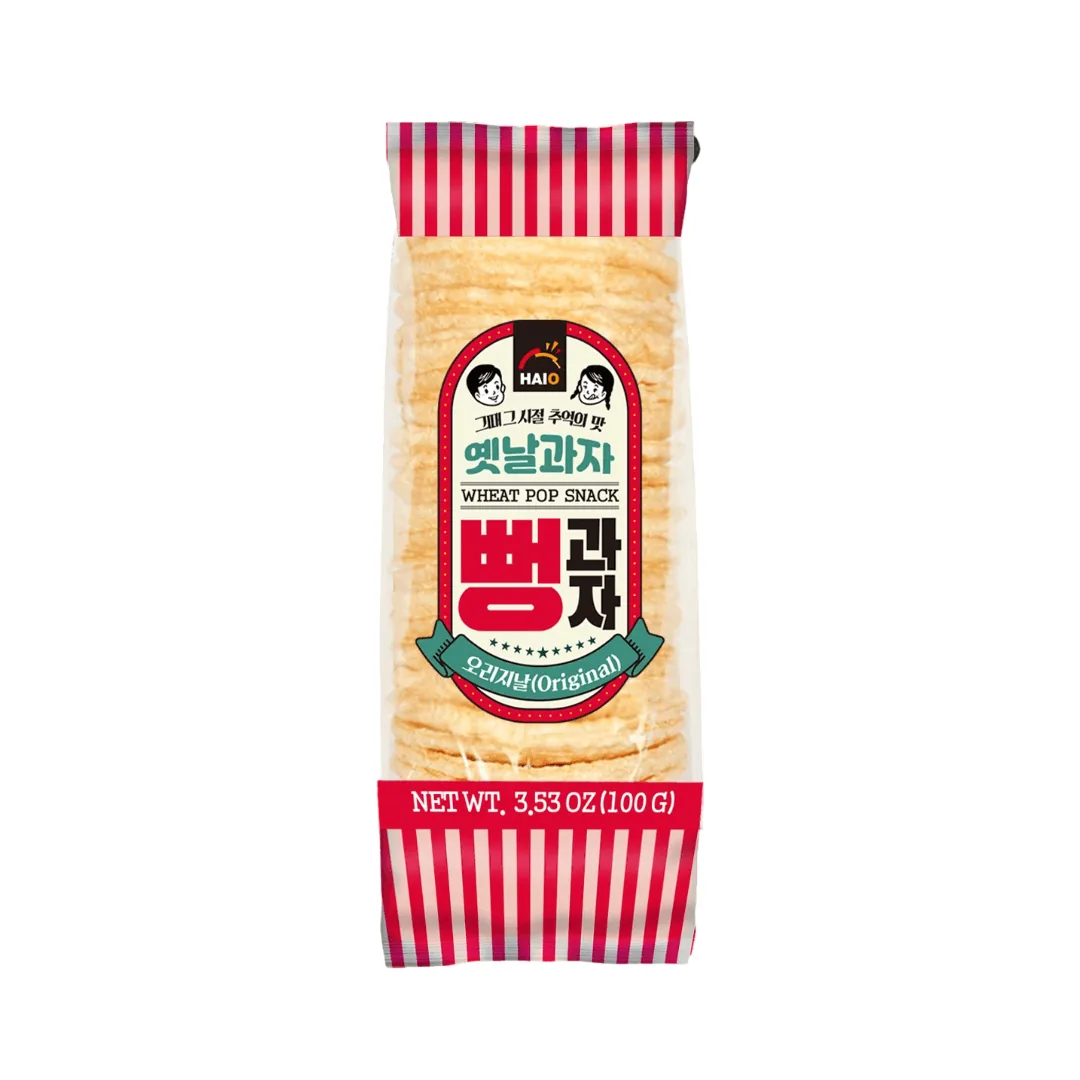

The cleaner the source photo, the better the scenes, so the lighting and editing steps in this guide still pay off.
Create product photos from one shot
Every new account gets 10 free credits, no credit card required.